Command Recipes: Ready-Made Linux Commands, One Shortcut Away
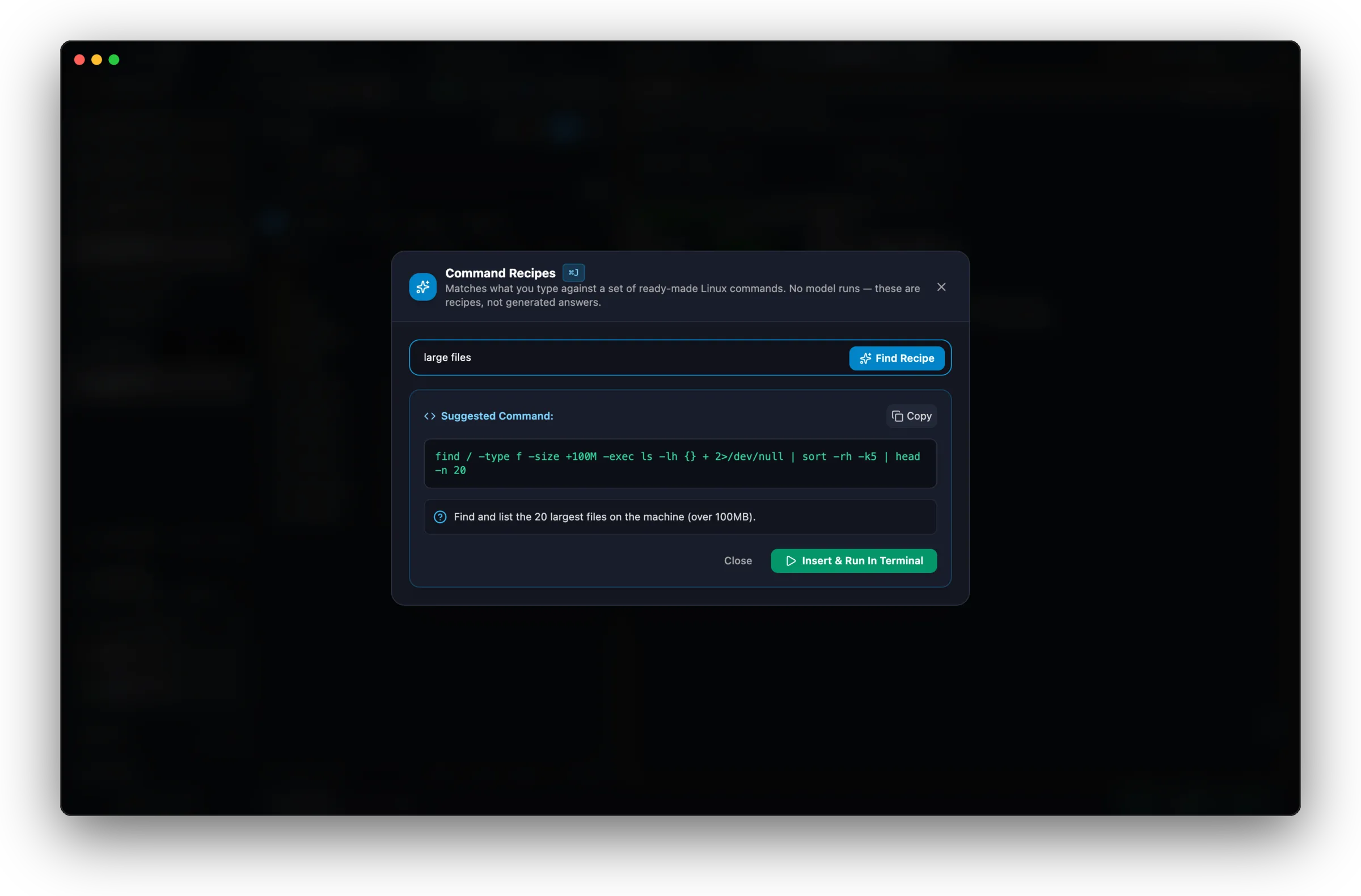
Press Cmd+J (Ctrl+J on Windows, unverified) in any workspace, or click the floating button in an SSH tab, and type what you need: find large files, check open ports, see what's using memory. MXterm Pro matches your words against a built-in set of ready-made Linux commands and shows the one that fits. These are recipes, not AI-generated answers.
Ready-made, not generated
Every recipe is a fixed Linux command built into the app: the largest files or logs, the processes using the most memory, CPU load, disk usage, what's listening on a port, listing or cleaning up Docker, Nginx status or reload, opening a port in UFW, the system journal, and reboot. The same request gets the same command every time.
Matched by keyword
It looks for words in what you type, such as 'large', 'memory', 'port' or 'docker' (Vietnamese words like 'bộ nhớ' work too), and shows the recipe that scores best. A port number in your text is carried into the port recipe. No model runs and nothing is sent anywhere. Because it matches words rather than meaning, it can land on the wrong recipe, and if nothing matches it says 'No recipe matches that'.
Running it presses Enter
Insert & Run In Terminal types the command into the focused pane and presses Enter straight away, with no second confirmation and no command guardrail check, and also copies it to your clipboard. Some recipes change things (docker system prune -af --volumes, sudo reboot), so read the command before you click. The commands are written for Linux servers, so they belong in an SSH pane rather than a local macOS or Windows shell.
What you type, what you get
find large files
find / -type f -size +100M -exec ls -lh {} + 2>/dev/null | sort -rh -k5 | head -n 20what's eating my RAM
ps aux --sort=-%mem | head -n 15server is lagging
top -b -n 1 | head -n 20check disk usage
df -h && echo "--- Dynamic folder breakdown ---" && du -sh /* 2>/dev/null | sort -h | tail -n 15is anything listening on port 5432
ss -tulpn | grep :5432 || lsof -i :5432clean docker
docker system prune -af --volumes
Ask for something outside the recipe set, like setting up a cron job, and you get “No recipe matches that”: type the command yourself.
Free on every plan
Command Recipes works the same on Free and Pro: there's no license check and no upgrade required. It pairs with the rest of MXterm Pro's terminal: an SSH Session Manager, an SFTP GUI, and a multi-agent Control Room for running Claude Code, Codex, and Gemini CLI side by side.
Related: Command Recipes: Linux disk, RAM and port commands
Everyday server checks, one shortcut away
Disk, memory, ports, Docker, Nginx: ready-made commands you can read before you run them. No credit card required.
Ask AI about MXterm Pro
Open a live answer in ChatGPT, Claude or Perplexity, based on this page. The assistant writes it, not us, so check the sources it cites.
Question sentWhat are Command Recipes in MXterm Pro, how do I use Cmd+J, and does it use an AI model?