Steer Your Agents From Another Machine
Start the host server in MXterm Pro on the Mac that runs your agents, share only the panes you choose, and open them from another machine's MXterm Pro or from any browser. Nothing is shared until you turn it on, pane by pane.
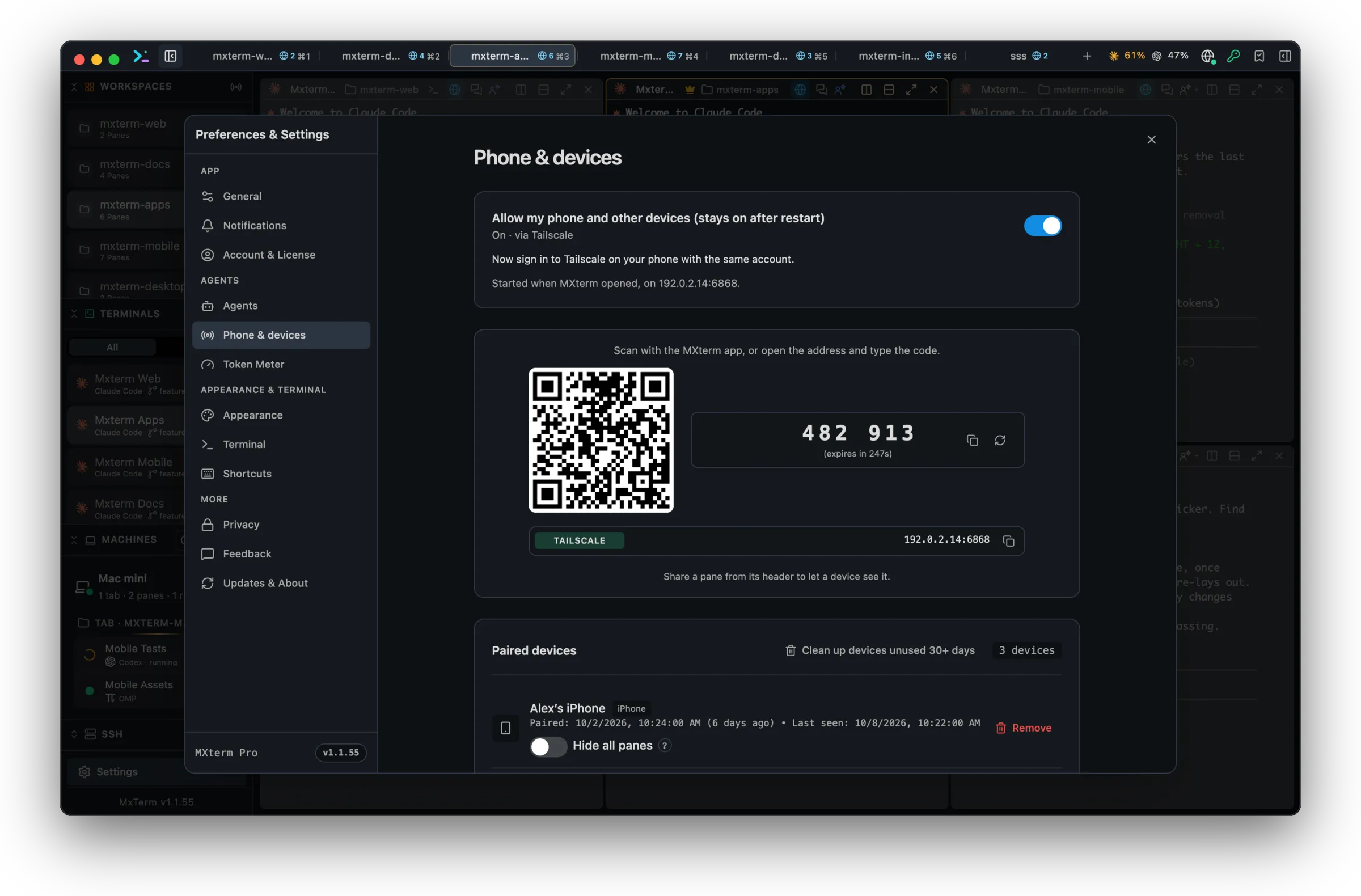
Share a pane, or a whole tab
Click the globe in a pane header to share that pane. Right-click a tab to share, or stop sharing, every pane in it. Sharing is off by default.
View only, or control, on a timer
Choose View only or Control for each share and let it end on its own after minutes or hours. The pane shows who is attached, and you can disconnect one device without stopping the share.
Pair with a 6-character code
The code is valid for 5 minutes and works once; five wrong tries lock pairing for five minutes. Every paired device is listed, and revoking one cuts it off at once.
Tailscale, your network, or this Mac only
The server binds to your Tailscale address when there is one. The private local network is off by default; if you allow it, it runs alongside Tailscale, and with neither the server stays on this Mac alone. A local network is plain HTTP and the server card says so; Tailscale encrypts the traffic.
Chat on a remote pane
For an agent pane you control on another machine, switch between Terminal and Chat, send a message, change the model and attach images.
Any browser, nothing to install
The host also serves a page for a phone or any browser: pair with the code, pick a shared pane and work in a live terminal with reconnect and a key bar for Esc, Tab, Ctrl and the arrows.
Free and Pro
Remote control works on the Free plan. By default Free saves 1 Machine, lets 1 other computer be paired to control this one, shares up to 5 panes at once and lets you turn on a temporary access password for up to 8 hours. The MXterm phone app (iPhone, iPad) and browsers are not counted. Pro removes these limits and adds My Devices (open your other signed-in Macs with no code or password) and a Standing access password with no time limit; its Temporary password lasts up to 7 days. Passwords need at least 6 characters. mxterm.net can override these numbers. An access password is an alternative to the code for pairing a new device, and it works over Tailscale, and over your local network if you allow local network access, where traffic is not encrypted.
What to know before you share
In Control mode a device can type in the pane, one writer at a time; in View only mode it cannot. The server starts only when you start it. After the host restarts, shares come back when each pane is running again, until the time you set, and shares that cannot be verified are dropped. Paired devices keep their pairing. MXterm Pro does not claim fleet or remote node orchestration: this is one machine's panes, shared with the devices you pair.
On your phone
Today, open the host page in your phone's browser. A native MXterm app for Android and iPhone is in testing; iPad and Apple Watch are next.
Phone notifications (coming soon)
- Phone notifications are not available yet. This is how they are designed to work, and only the status will change when they ship.
- You are notified when an agent needs you and when an agent finishes.
- The notification holds only the agent, the folder and the names of the pane and its tab, never terminal text, prompts, commands or paths. It can also carry one short line with the question an agent asks (a plain question only, never a permission request; at most 120 characters; links, file paths, email addresses and keys are removed on your Mac, and a line that mentions a password, token or secret is not sent). This line is on by default once phone notifications are on; turn it off with “Include a short summary in phone notifications” in Settings → Remote Access & Devices → Advanced. These names and that line pass through MXterm's server and Apple to reach your lock screen; MXterm does not store them.
- For a permission prompt, the banner can offer Approve and Decline, and the phone must be unlocked. iOS limits what runs while the app is closed, so an action may wait until you open the app.
- You choose which events, which computers and which quiet hours.
- They are free on every plan. They start on iPhone, and Apple Watch mirrors the banner.
- Notifications are sent through Apple's push service.
Watch your agents from anywhere
Remote control is included in the Free plan: no credit card required.
Ask AI about MXterm Pro
Open a live answer in ChatGPT, Claude or Perplexity, based on this page. The assistant writes it, not us, so check the sources it cites.
Question sentHow does remote control in MXterm Pro work: sharing a pane, pairing another machine, and what is free?