MXterm vs Agent Deck: a terminal interface or a desktop workspace for coding agents
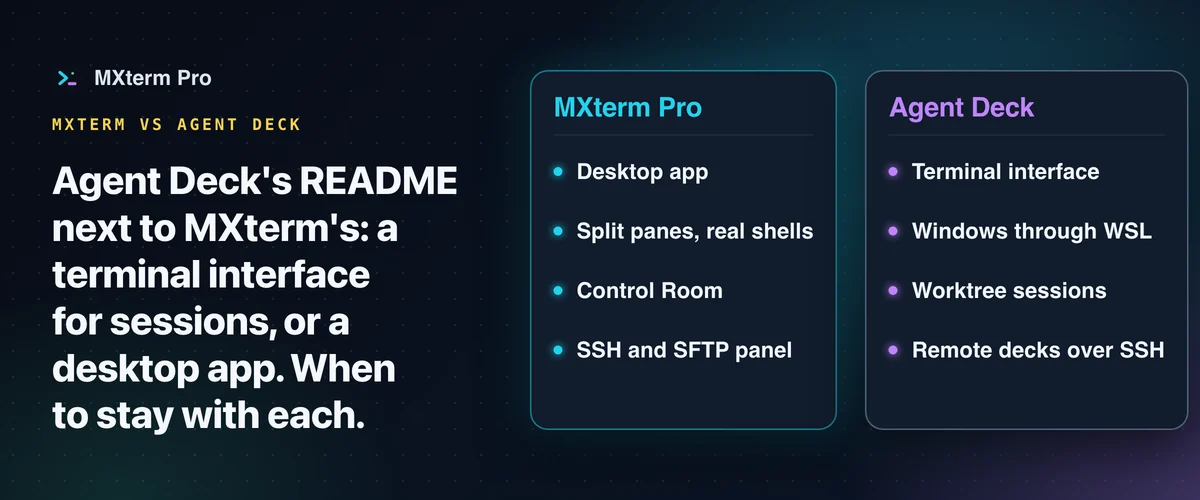
This page compares the Agent Deck project at github.com/asheshgoplani/agent-deck, a terminal interface for coding-agent sessions, with MXterm. MXterm Pro is a native desktop app for macOS and Windows that puts your real terminals, your AI coding agents and your SSH servers in one workspace. Split panes run real shells. This comparison puts Agent Deck's own words next to MXterm's, then shows when to stay with Agent Deck.
What Agent Deck says it is
Agent Deck's README says: "Agent Deck is mission control for your AI coding agents." It describes one terminal interface for viewing and switching between coding-agent sessions (github.com/asheshgoplani/agent-deck, read 28 October 2026). Installation is a one-line install script, documented in its README (github.com/asheshgoplani/agent-deck, read 28 October 2026), and you start it with agent-deck.
On platforms, the README says: "Works on: macOS, Linux, Windows (WSL)". This page reads that as Windows through WSL, not a native Windows build.
On worktrees, the README says: "Each worktree is an isolated working directory with its own branch." The CLI documents --worktree for creating a worktree session. In the dialogs, [worktree].default_enabled is false by default but can preselect worktree creation; quick fork creates a worktree and branch by default, controlled separately by [fork].worktree. The README also documents remote decks over SSH (github.com/asheshgoplani/agent-deck, read 28 October 2026; config reference, read 28 October 2026).
What MXterm is
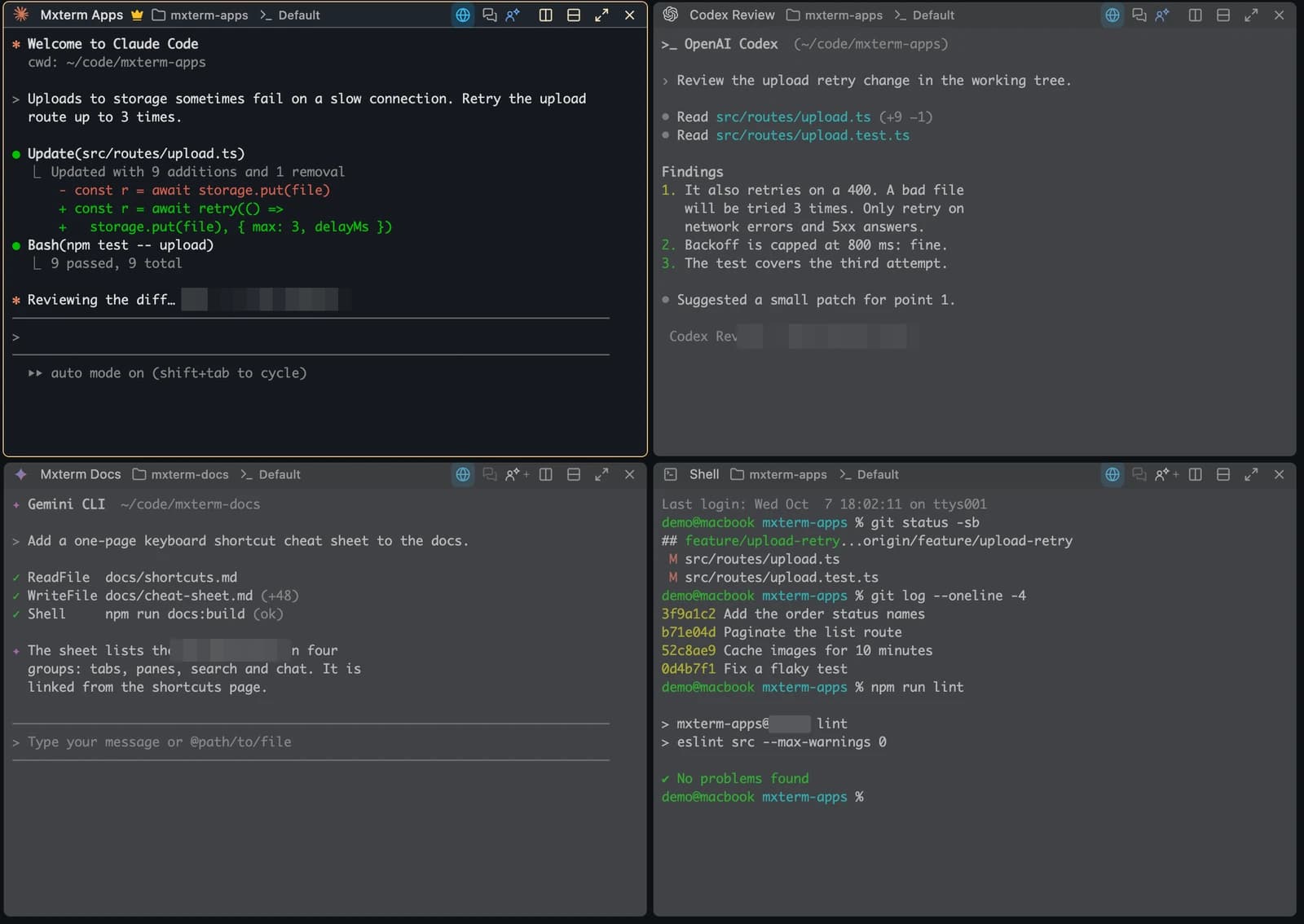
MXterm Pro is a native desktop app for macOS and Windows that puts your real terminals, your AI coding agents and your SSH servers in one workspace. It runs the CLIs you install, such as Claude Code and Codex. Each agent can work on its own branch in its own worktree. For a walkthrough, see running Claude Code in MXterm and isolating AI agents with git worktrees.

Side by side
| Agent Deck (its own words, read 28 Oct 2026) | MXterm | |
|---|---|---|
| What it calls itself | "Agent Deck is mission control for your AI coding agents." (README) | "One command center for terminals, agents and servers." |
| Form | One terminal interface for coding-agent sessions (README) | A native desktop app. Split panes run real shells. |
| Platforms | "Works on: macOS, Linux, Windows (WSL)" (README) | A native desktop app for macOS and Windows (Windows support is new); Linux is an early build (a .deb for Ubuntu 22.04 or later). We have not run this build on a real Linux desktop. |
| Keeping agents apart | "Each worktree is an isolated working directory with its own branch." The CLI offers --worktree; a quick fork creates a worktree and branch by default (README) | Each agent can work on its own branch in its own worktree. |
| Remote machines | The README documents remote decks over SSH. | SSH and an SFTP panel in the same window as your agents. |
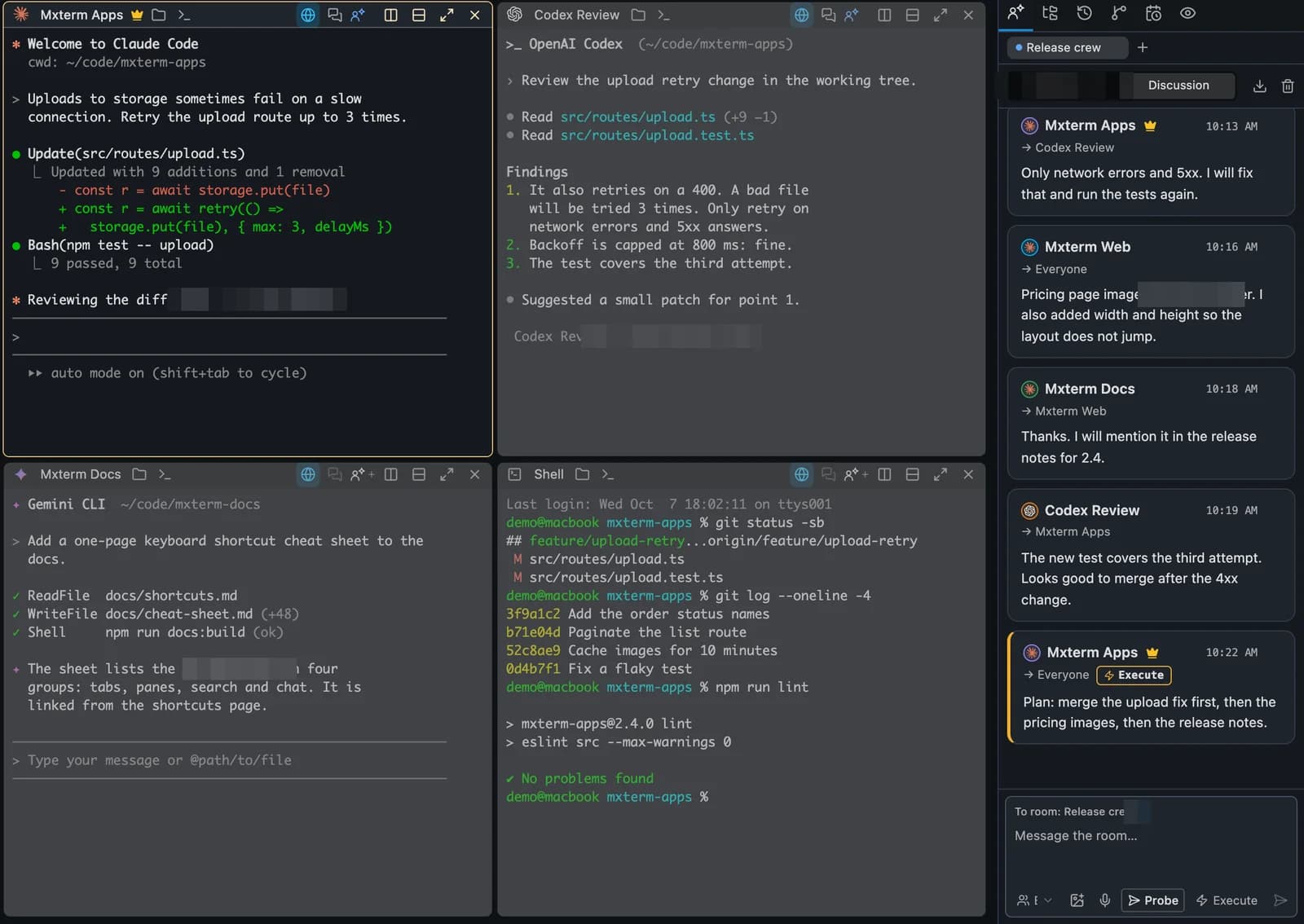
| Around the agents | Viewing and switching between sessions (README) | With Claude Code and Codex, see which agent is working, waiting or done, and a question from either appears on a card on your desktop. Put your agents in one room and stay in charge. |
| Licence | "MIT License" (LICENSE) | See the note under the table. |
On the licence row: MXterm's own licence terms are on its pages and are not covered here; this page makes no claim about them. The two columns describe different things, so they are not feature-for-feature. A blank or short cell in one column does not mean the other tool lacks the thing; it means that page of that tool was not read for it.
Stay with Agent Deck if
- You want to stay in the terminal, with one interface for your coding-agent sessions, as its README describes.
- You want worktree sessions: create one with the CLI's
--worktreeoption, enable the dialog default with[worktree].default_enabled, or use quick fork, which creates one by default. - You work on macOS or Linux, or on Windows through WSL, as its README lists.
- You want an MIT-licensed project, as its LICENSE file states.
- You want remote decks over SSH, as its README documents.
Choose MXterm if
- You want a native desktop app with real terminal panes, and a plain shell in a split pane beside an agent.
- You want SSH hosts and an SFTP panel in the same window as your agents (Agent Deck's README also documents remote decks over SSH).
- You want, for Claude Code and Codex, to see which agent is working, waiting or done, and to answer their questions from a card on your desktop.
- You want agents in one room: in the Control Room they message each other and you are the Moderator. Messages wait while you type.
- You use Windows without WSL (Windows support is new).
To try MXterm, use the download page. To compare with another tool, see MXterm vs Claude Squad and MXterm vs Gas Town.
Multi-pane SSH, Command Recipes (Cmd+J), and a multi-agent Control Room (formerly War Room): free to start.
Already have MXterm Pro? Read the setup guide →
New to MXterm Pro? See pricing →
Frequently Asked Questions
Its README says: "Agent Deck is mission control for your AI coding agents." It describes one terminal interface for viewing and switching between coding-agent sessions. (github.com/asheshgoplani/agent-deck, read 28 October 2026.)
Agent Deck is a terminal interface for sessions. MXterm is a native desktop app where split panes run real shells, and each agent can work on its own branch in its own worktree. This page does not rank them.
Agent Deck's README says: "Each worktree is an isolated working directory with its own branch." The CLI offers --worktree; [worktree].default_enabled defaults to false but can preselect worktree creation in dialogs, while quick fork creates a worktree and branch by default under its separate [fork].worktree setting. In MXterm, each agent can work on its own branch in its own worktree. A worktree reduces collisions; agents can still edit the same file. (github.com/asheshgoplani/agent-deck, read 28 October 2026; config reference, read 28 October 2026.)
Its README says: "Works on: macOS, Linux, Windows (WSL)". That is Windows through WSL. MXterm is a native desktop app for macOS and Windows (Windows support is new). (github.com/asheshgoplani/agent-deck, read 28 October 2026.)
If you want to stay in the terminal with one interface for your sessions, start with Agent Deck. If you want a desktop app with real terminal panes, SSH and an SFTP panel next to your agents, and a Control Room where agents message each other, try MXterm.