Best AI coding agents in 2026: what each one is and how to run several
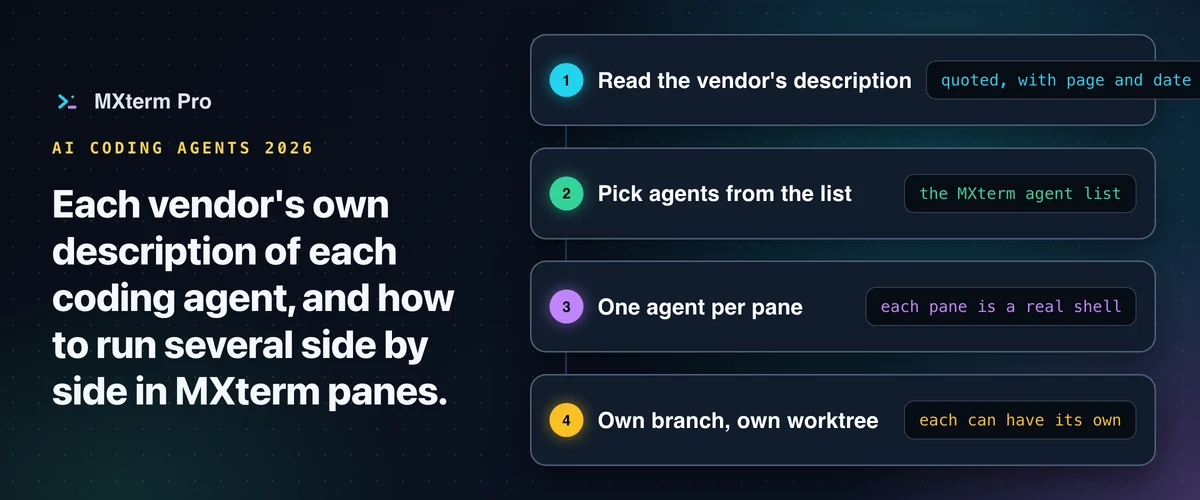
An AI coding agent is a program that reads your project, edits files and runs commands for you, and each one below has a command-line version. This page lists AI coding agents in 2026, gives each vendor's own description of its product, and shows how to run several of them side by side in MXterm Pro. The order is our editorial order, not a ranking: we have not tested these agents against each other and this page gives no scores.
What to check before you pick an agent
The short version: Claude Code, Codex, GitHub Copilot CLI, OpenCode, Antigravity CLI and Qwen Code come first, then Cursor CLI, Aider, Cline, goose and Kilo Code. Every description is quoted from the vendor's own page, with the page and the date it was read.
Before you pick one, check three things on the vendor's page: which account or key it needs to sign in (the vendor's install page says; MXterm does not sign you in), which systems and surfaces it runs on (terminal, editor, desktop app, browser), and whether you can try it on a small task in a throwaway branch before you rely on it.
Because a pane in MXterm is a real shell, trying a second agent costs one more pane; each agent still has its own install and sign-in.
Claude Code
Anthropic describes it as "an agentic coding tool that reads your codebase, edits files, runs commands, and integrates with your development tools. Available in your terminal, IDE, desktop app, and browser" (code.claude.com/docs/en/overview, read 31 October 2026).
In MXterm you pick Claude Code from the agent list and it runs in a real shell pane. Full setup: Run Claude Code in MXterm.
If you use Anthropic's desktop app instead, see MXterm vs the Claude desktop app.
Codex
OpenAI's repository says "Codex CLI is a coding agent from OpenAI that runs locally on your computer" (github.com/openai/codex, read 31 October 2026).
In MXterm, Codex is in the same agent list as Claude Code and starts codex in a pane, so the two can sit in neighbouring panes: running Claude Code and Codex in split terminals shows how. Run Codex CLI in MXterm has the Codex steps.
OpenAI also has a desktop app with Codex; MXterm vs the ChatGPT desktop app with Codex covers it.
GitHub Copilot CLI
GitHub's documentation says "GitHub Copilot CLI is a powerful terminal-native AI coding assistant that brings agentic capabilities directly to your command line" (docs.github.com/en/copilot/get-started/cli-quickstart, read 31 October 2026).
MXterm lists it in the agent list and starts copilot in a pane. Run GitHub Copilot CLI in MXterm has the steps.
OpenCode
OpenCode's documentation says "OpenCode is an open source AI coding agent. It's available as a terminal-based interface, desktop app, or IDE extension" (opencode.ai/docs, read 31 October 2026).
MXterm lists it in the agent list and starts opencode in a pane. Run OpenCode in MXterm has the steps.
Antigravity CLI
Google describes it as a "keyboard-first terminal client that runs Antigravity workflows in local shells, remote cloud environments, and SSH sessions" (antigravity.google/docs/overview?tab=cli, read 31 October 2026).
If you used Gemini CLI, Google's migration page says "Antigravity CLI preserves backward compatibility with the core developer-experience constructs popularized by Gemini CLI" (antigravity.google/docs/cli/gcli-migration, read 31 October 2026).
MXterm lists it in the agent list and starts agy in a pane. Run Antigravity CLI in MXterm has the steps.
Qwen Code
The Qwen Code GitHub description reads "An open-source AI coding agent that lives in your terminal." (github.com/QwenLM/qwen-code, read 31 October 2026).
MXterm lists it in the agent list and starts qwen in a pane. Run Qwen Code in MXterm has the steps.
More coding agents
Cursor CLI. Cursor's documentation says "Cursor CLI lets you interact with AI agents directly from your terminal to write, review, and modify code" (cursor.com/docs/cli/overview, read 31 October 2026). Setup in MXterm: Run Cursor CLI in MXterm.
Aider. "Aider is AI pair programming in your terminal" (aider.chat/docs, read 31 October 2026).
Cline. "Cline is an AI coding agent that lives in your editor and your terminal" (docs.cline.bot, read 31 October 2026).
goose. "goose is an extensible open source AI agent that enhances your software development by automating coding tasks" (goose-docs.ai/docs/quickstart, read 31 October 2026).
Kilo Code. Its CLI page opens with "Orchestrate agents from your terminal" (kilo.ai/docs/cli, read 31 October 2026).
Which of these run in a terminal?
Each agent on this page has a command-line version, and each vendor's own page documents it. A terminal agent is a command you run in a shell, so it runs in an MXterm pane.
MXterm launches the agents you have installed and, if one is missing, opens the install guide or shows the command; it does not install them or sign you in.
Related guideRun Claude Code and Codex in Split Terminal PanesRun several coding agents side by side in MXterm
Each pane in MXterm is a real shell, so you can run a different agent in each pane and keep a plain shell beside them for your tests.
Each agent can work on its own branch in its own worktree; isolating agents with git worktrees walks through it.
To put several agents in one room, see Control Room. The download page has MXterm.
Sources and dates
The vendor pages are named in each section, all read 31 October 2026. Descriptions can change; check the page.
The quotes are the vendors' own words, and the order of the sections is editorial, not a ranking.
Multi-pane SSH, Command Recipes (Cmd+J), and a multi-agent Control Room (formerly War Room): free to start.
Already have MXterm Pro? Read the setup guide →
New to MXterm Pro? See pricing →
Frequently Asked Questions
A program that reads your project, edits files and runs commands to carry out a task you describe. The vendor quotes above show how each one describes itself.
This page does not rank them. Check which account each one needs and where it runs, using the vendor's own page, then try one on a small task. In MXterm a second agent is one more pane.
All of the agents on this page have a command-line version; each vendor's own page documents it. Each one starts with a command in a shell, so it runs in an MXterm pane.
Yes. Each pane in MXterm is a real shell, so you can run a different agent in each pane, and each agent can work on its own branch in its own worktree.
No. MXterm launches the agents you have installed and, if one is missing, opens the install guide or shows the command.