Check AI API Credit Balance Without Opening Every Dashboard
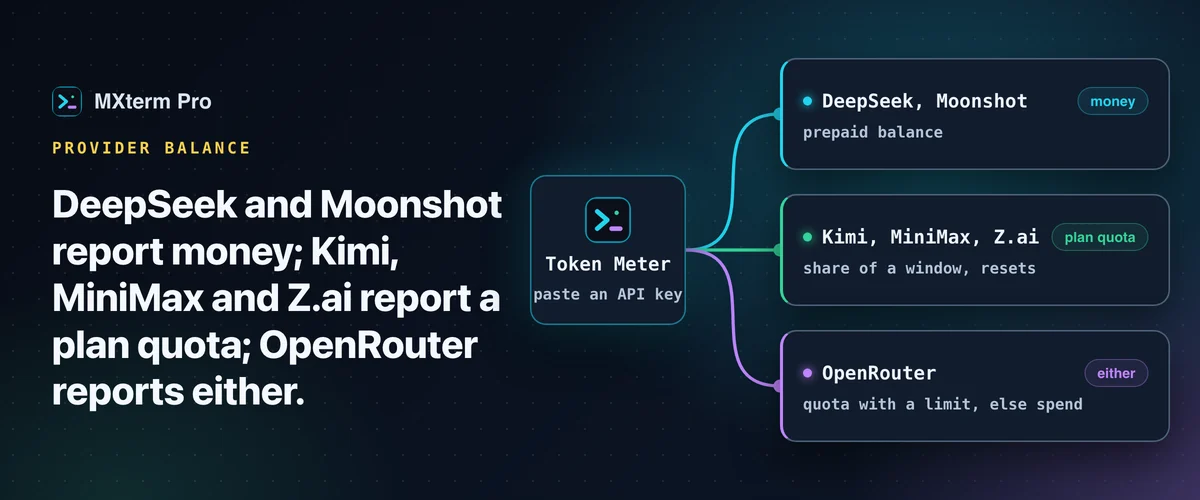
To check your AI API credit balance, you first need to know which number each provider reports: some report money, some report a plan quota (a percentage of a window). With an API key you add yourself, MXterm Pro's Token Meter can show a balance, in the provider's own currency, or a plan quota when a provider reports it.
Three Different Questions Behind One Word

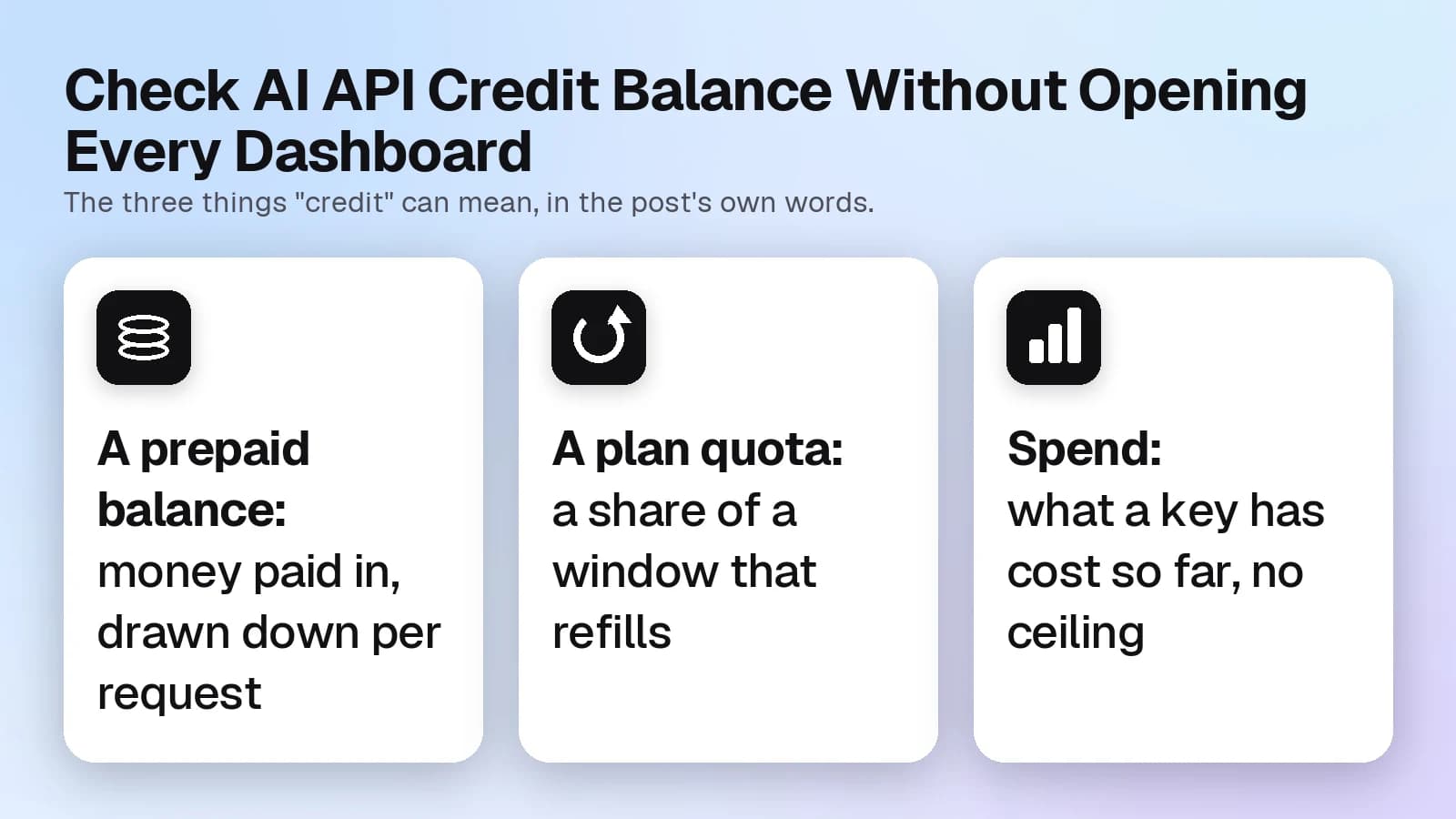
"Credit" covers three things that behave nothing alike, and mixing them up is how people get surprised mid-task.
A prepaid balance is money you've already paid in, drawn down per request. It has no reset: it only goes down until you top it up.
A plan quota is a share of a window: a coding plan that gives you so much per 5 hours, per week or per month, and refills when the window rolls over.
A percentage here means something different from a percentage of a balance. If a window resets Sunday night, being at 90% on Monday at 09:00 is a much worse position than at 90% on Sunday at 17:00, because the reset is almost a week away instead of hours.
Spend is simply what a key has cost so far, with no ceiling attached. It's the plain answer when there is no limit to be a share of.
Reading Them Yourself
Your provider's own dashboard is always the authoritative number, and it shows what an API key cannot: invoices, expiry dates on granted credit, per-key breakdowns. It's the right place for a monthly reconciliation.
It's a poor fit for "am I about to run out mid-task", which you ask ten times a day and want answered without leaving what you're doing.
Related guideUsage, Plan Limit, and Balance: Three Numbers People Keep ConfusingWhat MXterm Pro's Token Meter Does With Them
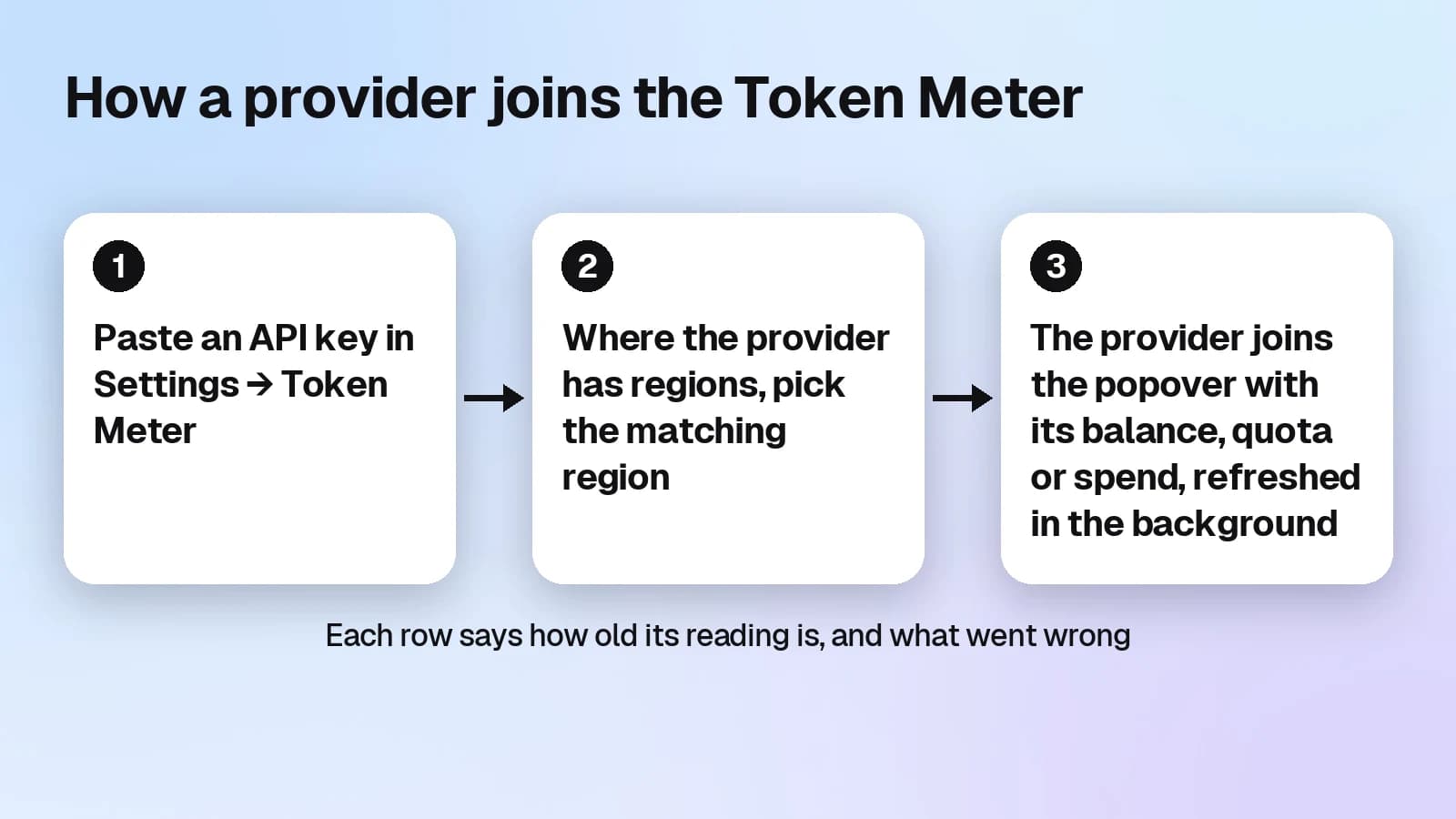
In Settings → Token Meter (see Claude Code and Codex token usage) there's a row per provider you set up.
Paste an API key and, where the provider has regions, pick the matching region. That provider then joins the popover with its balance, its quota windows or its spend figure, refreshed in the background. The popover lists every provider you set up, and Settings → Token Meter lets you pin one to the top (Claude Code by default). See also the Token Meter page and the Token Meter docs.
The chip in the title bar shows the most constrained quotas anywhere, colored by how close each is. For the reason given in the first section, a balance or a spend figure never counts as a percentage or becomes a bar. When no agent has a local token count or quota to show, the chip shows the lowest balance as money.
Each row says how old its reading is, and what went wrong: rejected key, provider unreachable, rate limited, or a reply that couldn't be read. If the provider is unreachable or rate limits the check, the row keeps the last good reading and says it is stale rather than passing an old number off as current. A rejected key or an unreadable reply shows that message instead.
Where the Keys Live
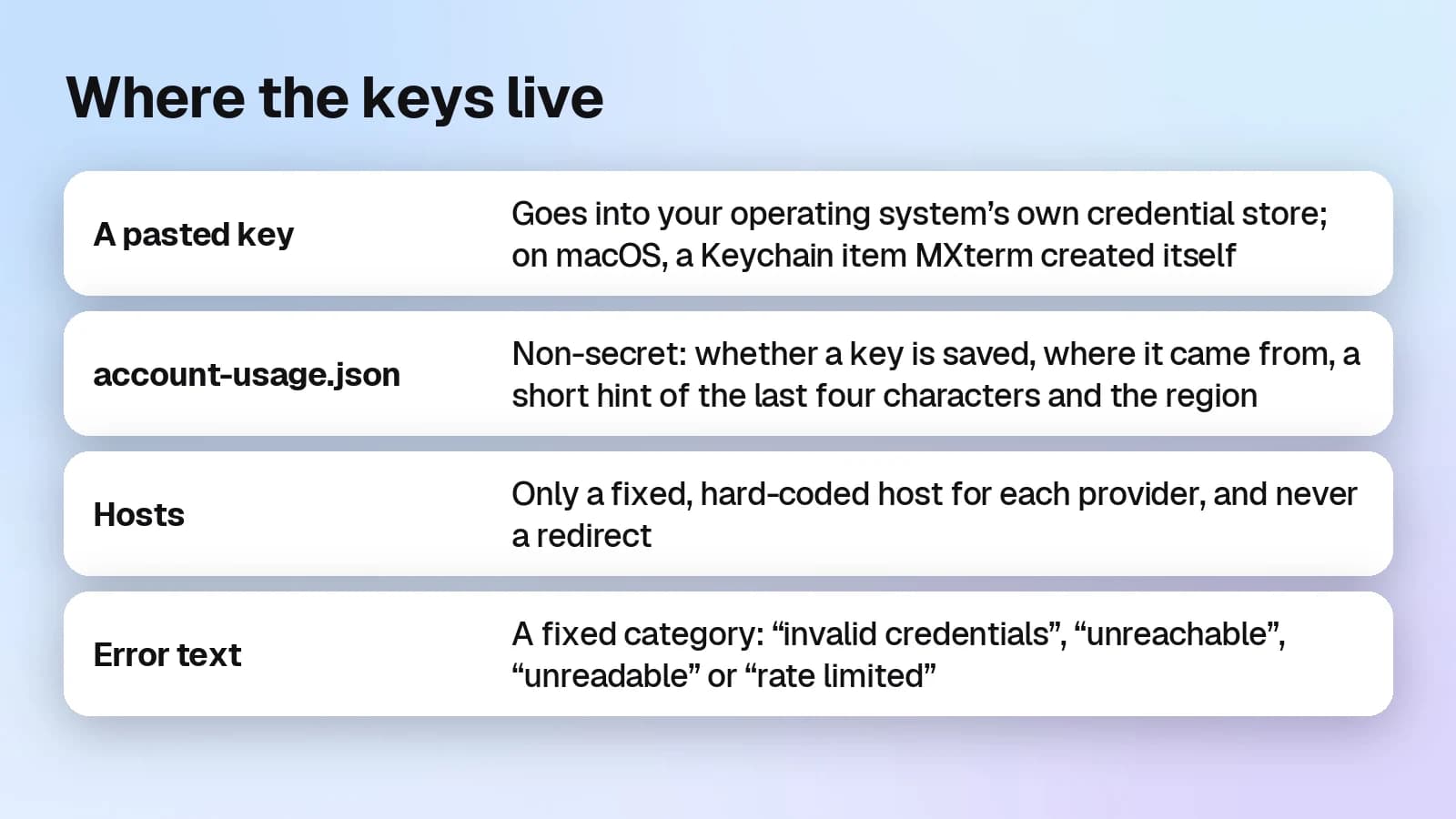
Here are the specifics, because "we store it securely" is not a claim anyone can check.
A pasted key goes into your operating system's own credential store. On macOS, that is a Keychain item MXterm created itself, under service MXterm Pro and account account-usage.<provider>. The Windows build is set up to use the Windows credential store, but that is unverified there. In the current build it is not written into the app's own files or into browser storage.
The input you paste into is uncontrolled on purpose. The key lives in that DOM input and nowhere else until Save hands it to the backend, which then empties the field. The app's state does not hold it.
A second, non-secret file in the app data directory, account-usage.json, remembers a few non-secret things per provider: whether a key is saved, where it came from, a short hint made of the last four characters when the key is long enough, and the region. The title bar consults it on every load, so the app can know what you've configured without a single credential-store call. With nothing configured, the Token Meter makes no credential-store call and no network call at all.
MXterm Pro's account-usage check only contacts a fixed, hard-coded host for each provider, and never follows a redirect.
Error text is a fixed category, not a raw response: "invalid credentials", "unreachable", "unreadable" or "rate limited". Every type holding a secret prints [redacted] when debugged. The only part of a saved key the app displays is … plus its last four characters, and only when it's long enough that four characters give nothing away.
What It Deliberately Doesn't Do
A meter that reads credentials should be judged on its refusals as much as its features. These were made explicitly.
No hammering. Each provider is asked at most once every five minutes. A 429 parks it for fifteen. A 401 or 403 parks it until you change the credential, instead of retrying a rejected key on a timer. The app's own polling only runs while at least one provider is configured.
The Caveat Worth Stating Plainly
So if a provider renames a field the parser needs, the row shows "couldn't read the reply" instead of a wrong number. That is the failure mode you want. Still, don't treat any of this as an accounting source.
For money that has to be right (an invoice, a budget, a chargeback), go to the vendor's dashboard. For "is this key about to run dry while three agents are running", a list that updates itself in the corner of the window is the better tool.
Multi-pane SSH, Command Recipes (Cmd+J), and a multi-agent Control Room.
Frequently Asked Questions
Several, with an API key you add yourself. The list may change between versions, so check the Token Meter in the app. Claude Code and Codex are read separately, from their own transcripts on your machine.
Your operating system's credential store. On macOS, that's a Keychain item under the service name "MXterm Pro". Windows is set up for its own credential store, but that is unverified. In the current build it isn't written to the app's own files or browser storage. MXterm Pro's account-usage check only contacts a fixed, hard-coded host for each provider, and never follows a redirect.
Whichever the provider actually publishes. A prepaid balance is what's left. A plan quota is a percentage of a window with a reset time.
In the current build, no. The account rows query a provider's endpoint about your account using your key, and the request carries nothing about your sessions. Token counts for Claude Code and Codex are read from transcripts on your machine, which are not uploaded.