Best Terminal for Claude Code on Mac (2026): Seven Compared
The best terminal for Claude Code on a Mac depends on how many sessions you run. One session fits any terminal. Several at once need panes, a signal when one is waiting for you, and a way to keep their files apart. This list compares Warp, MXterm Pro, iTerm2, cmux, VS Code's terminal, Ghostty and Terminal.app on five checks, read from each vendor's own pages.
The short version
There is no single best terminal for Claude Code on a Mac; there is a best fit for how you work. If you run one Claude Code session, the terminal you already have is enough. If you run several at once, the terminal needs to show you which one is waiting for you and keep their files apart.
On the five checks below, read from each vendor's own pages on 11 November 2026, Warp and MXterm Pro answer yes to four. iTerm2, cmux and VS Code's terminal answer yes to three. Ghostty and Terminal.app answer yes to fewer, but each is a fine choice for one session.
We make MXterm Pro, so we are not neutral. The table keeps the rows where others lead, and the MXterm section says what it does not do.
How we compared them
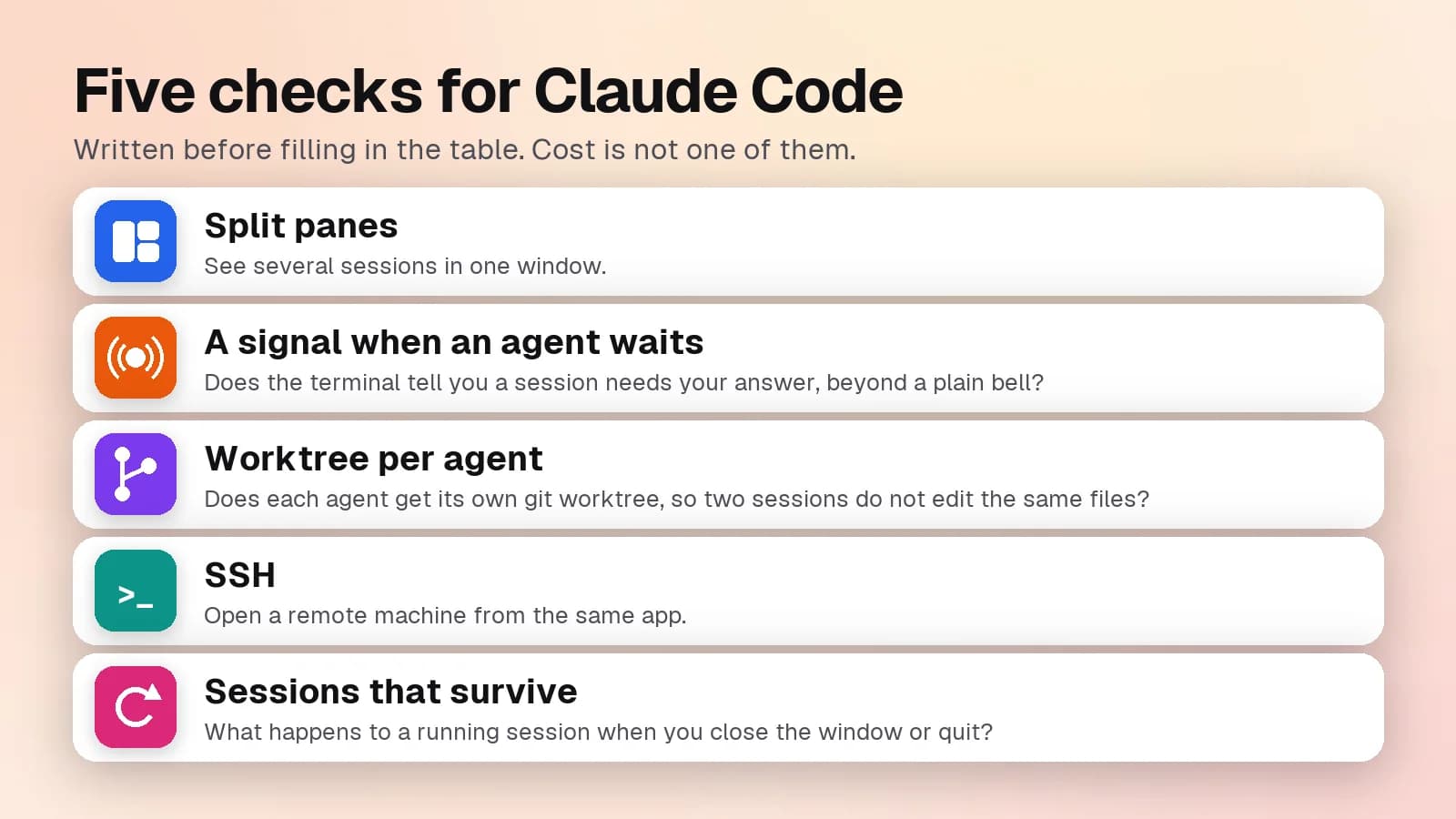
We picked five checks that matter when you run Claude Code, and wrote them before filling in the table. Cost is not one of them: pricing and licence terms are on each vendor's page, and ours are on the pricing page.
1. Split panes. Can you see several sessions in one window?
2. A signal when an agent waits. Does the terminal tell you that a session needs your answer, beyond a plain bell?
3. Worktree per agent. Does it help give each agent its own git worktree, so two sessions do not edit the same files?
4. SSH. Can you open a remote machine from the same app? A first-party extension counts, as with Warp's SSH extension and VS Code's Remote - SSH.
5. Sessions that survive. What happens to a running session when you close the window or quit?

We also list platforms, but a Mac-only tool is not marked down in a list written for Mac users. "Not stated" means the pages we read do not say; it does not mean the feature is missing.
The seven terminals at a glance
Order: by how many of the five checks a product answers yes on its own pages, then by how well it fits a multi-agent day. A "yes" needs the vendor to say it.
| Terminal | Split panes | Tells you an agent is waiting | Worktree per agent | SSH | Sessions survive | Platforms |
|---|---|---|---|---|---|---|
| Warp | yes | yes, Agent Notifications when an agent is blocked or done | documented, one worktree per agent recommended | SSH extension on remote macOS and Linux hosts | restores windows, tabs and panes; running processes not stated | macOS, Windows, Linux |
| MXterm Pro | yes | yes on the Mac app: red ring on the pane and a chime | optional, one per agent | saved hosts, SFTP browser, editor | no: closing the last window ends its terminals (it asks first if something is running), and running processes are not restored on reopen | macOS, Windows x64, Linux (early build) |
| iTerm2 | yes | yes: its Claude Code page shows a "waiting" status | not stated | no built-in client; tmux mode works over ssh | yes with tmux mode; Cmd-Q otherwise ends jobs | macOS |
| cmux | yes | yes: ring around the pane and a desktop notification | not stated | cmux ssh opens a workspace on a remote machine | its website and README disagree | macOS |
| VS Code terminal | yes, terminal groups | tab status icons, nothing agent-specific | VS Code agent sessions can use one; the terminal itself does not | Remote - SSH extension | reconnects to terminals on window reload | macOS, Windows, Linux |
| Ghostty | yes | desktop notifications and a command-finished option, nothing agent-specific | not stated | no built-in client; an ssh wrapper | restores window layout on macOS; processes not stated | macOS, Linux |
| Terminal.app | yes, two panes per window | bell only | not stated | a New Remote Connection command | window groups; processes not stated | macOS |
Warp
Warp is a terminal that has grown into what it calls an agentic development environment (warp.dev, read 11 November 2026). It runs Claude Code, Codex and OpenCode in its terminal, and it also ships an agent of its own.
For Claude Code it has the strongest set of built-in signals in this list: Agent Notifications tell you when an agent is blocked on your input or finished; third-party CLI agents such as Claude Code, Codex and OpenCode each need a one-time setup first. Its docs describe git worktrees and recommend one worktree per agent, but do not say Warp creates them for you. It runs on macOS, Windows and Linux.
Where it falls short for this job: Warp's own agent and cloud features are a big part of the product, so it is more than a terminal; and the docs do not state whether a running process survives quitting the app.
MXterm Pro
MXterm Pro is a native terminal workspace for people who run coding agents. Claude Code, Codex and other agent CLIs run in real terminal panes; MXterm Pro does not bundle them; if one is missing it shows the install command and can run it in a terminal you open. It has no built-in agent. You can split your terminal into panes, and optionally give each agent its own git worktree. The Git panel shows a per-file diff, and you can add notes on diff lines and send them to the agent.
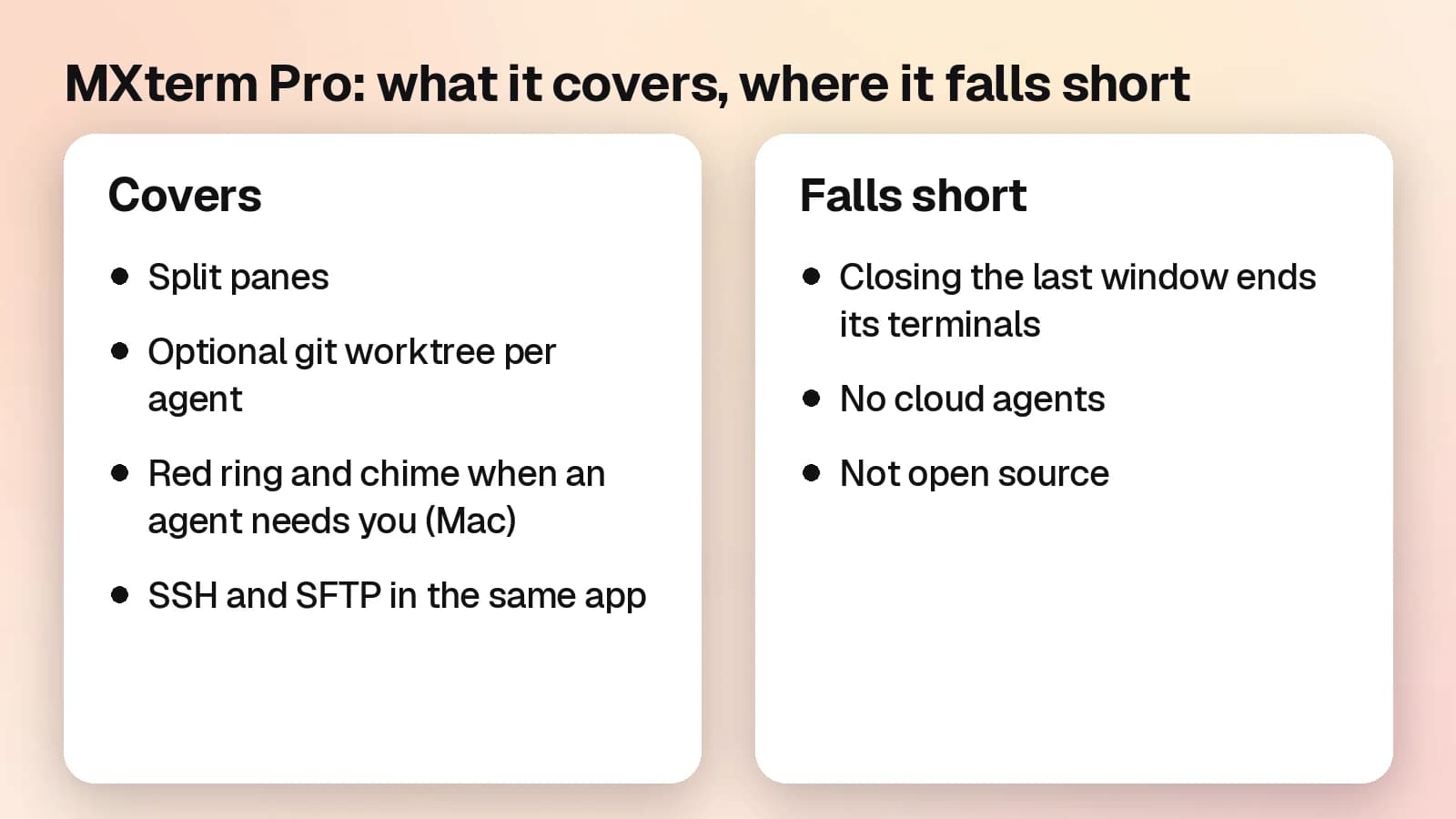
On the Mac, a pane whose agent needs you gets a red ring and a chime. SSH hosts, an SFTP browser and an editor are in the same app, and a phone, iPad or browser can open the panes you share from your Mac. Android is on Google Play and iPhone and iPad are on TestFlight. Windows support is new.
Where it falls short: closing the last window quits MXterm and ends its terminals. If anything is still running, MXterm asks first. Running processes are not restored when you reopen it, so use tmux on a remote host if you need a session to outlive the window. It has no cloud agents and is not open source (the GitHub repository holds docs and guides). The Linux build is an early build. We have not run this build on a real Linux desktop. See Claude Code in MXterm, running Claude Code and Codex in split panes and the download page.
iTerm2
iTerm2 is the long-standing Mac terminal replacement, open source under the GPL (iterm2.com, read 11 November 2026). It has split panes in every tab and a page of its own for Claude Code: its Session Status shows "waiting" when Claude needs your input and sorts those sessions to the top.
Its tmux mode is the best answer in this list to sessions that survive: tmux keeps running if iTerm2 quits or ssh drops. It has no built-in SSH client and its pages do not mention worktrees. The home page and downloads page disagree on the minimum macOS version, so check the downloads page. If you like a classic terminal and want a waiting signal, iTerm2 is hard to beat. Compare it with MXterm Pro in the MobaXterm, iTerm2 and MXterm comparison.
cmux
cmux is a Ghostty-based macOS terminal with vertical tabs and notifications for AI coding agents (github.com/manaflow-ai/cmux, read 11 November 2026). The terminal is licensed GPL-3.0-or-later; some server directories are under a commercial source-available licence. A process that needs attention gets a ring around its pane, a badge in the sidebar and a macOS notification, and Claude Code is named among the agents that work in it.
Its pages do not state a worktree feature, and they disagree about restarts: the website says agent sessions resume after a full restart, while the README says live process state is not restored. It is macOS only for now, with an iPhone companion via TestFlight. See MXterm and cmux for a side-by-side.
VS Code's integrated terminal
If you already live in VS Code, its integrated terminal is a reasonable place to run Claude Code (code.visualstudio.com, read 11 November 2026). It has terminal groups for split panes, reconnects to your terminals after a window reload, and works on a remote host through the Remote - SSH extension.
It gives you only tab status icons rather than an agent-specific signal, and git worktrees appear in VS Code's agent features rather than in the terminal. Choose it when the editor is the centre of your day and the terminal is a side panel.
Ghostty
Ghostty is a fast, native terminal for macOS and Linux, released under the MIT licence (ghostty.org, read 11 November 2026). It has windows, tabs and splits, desktop notifications from programs, and an option to notify when a command finishes.
Nothing on its pages is aimed at coding agents, and it has no built-in SSH client or worktree feature. Pick Ghostty for speed and a clean terminal, and add your own tooling for agents.
Terminal.app
Terminal.app comes with every Mac. Apple's guide describes tabs and splitting a window into two panes, a per-profile bell, window groups that save a layout, and a New Remote Connection command (support.apple.com, read 11 November 2026).
It has nothing for agents: the alert is a bell, and the pages do not mention worktrees or Claude Code. It is enough for one Claude Code session, and a sensible place to start before you decide you need more.
How to choose
You run one Claude Code session at a time: use what you have, Terminal.app or iTerm2.
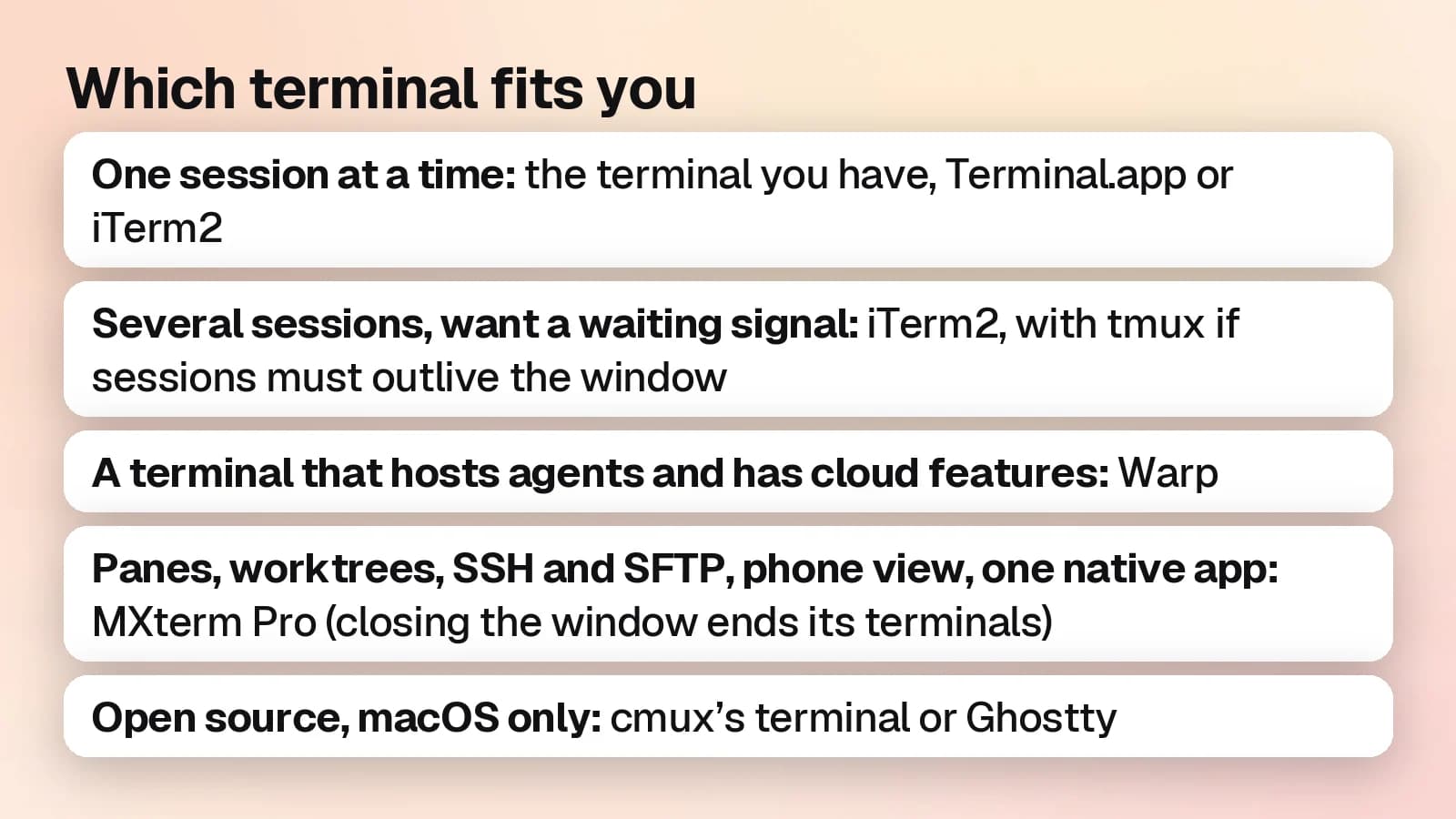
You run several and want a classic terminal with a waiting signal: iTerm2, with tmux if sessions must outlive the window.
You want a terminal that also hosts agents and has its own cloud features: Warp.
You want panes, per-agent worktrees, SSH and SFTP, and a phone view of shared panes in one native app: MXterm Pro. You accept that closing the window ends its terminals.
You want an open source terminal for macOS only: cmux's terminal or Ghostty.
Time yourself on one real task in two of them before you switch. Because Claude Code is a CLI, trying a second terminal costs you almost nothing.
Multi-pane SSH, Command Recipes (Cmd+J), and a multi-agent Control Room.
Frequently Asked Questions
It depends on how many sessions you run. For one session, Terminal.app or iTerm2 is enough. For several at once, pick a terminal that shows which session is waiting for you and helps keep their files apart, such as Warp, MXterm Pro, iTerm2 or cmux.
Claude Code is a command-line program, so it runs in any terminal that can run your shell. The differences are in what the terminal adds around it: split panes, a signal when it waits, worktrees and remote access.
Yes. Run each in its own pane or tab. To keep them from editing the same files, give each a git worktree. Warp, MXterm Pro and VS Code's agent features mention worktrees; for others you create the worktrees yourself with git.
Warp, iTerm2, cmux and the MXterm Pro Mac app each describe a signal for a session that needs your input. Ghostty, VS Code and Terminal.app offer generic bells or notifications only.
Not on every check. Warp has cloud agents and a built-in agent, iTerm2 has tmux for sessions that survive, and cmux's terminal and Ghostty are open source. MXterm Pro does well on panes, worktrees, SSH with SFTP and a phone view of shared panes.
Sources
- Warp: Agent Notifications | Warp read 11 Nov 2026
- iTerm2: Claude Code Integration - Documentation - iTerm2 - macOS Terminal Replacement read 11 Nov 2026
- cmux: GitHub - manaflow-ai/cmux: Open source Ghostty-based macOS terminal with vertical tabs and notifications for AI coding agents. Built for multitasking, organization, and programmability. read 11 Nov 2026
- Visual Studio Code: Terminal Advanced read 11 Nov 2026
- Ghostty: Option Reference - Configuration read 11 Nov 2026
- Apple Support: Keyboard shortcuts in Terminal on Mac - Apple Support read 11 Nov 2026
- Ghostty: ghostty/LICENSE at main · ghostty-org/ghostty · GitHub read 11 Nov 2026
- cmux: cmux - The terminal built for multitasking read 11 Nov 2026