The 5 Best SSH Clients for Mac with Integrated SFTP GUI (2026 Review)
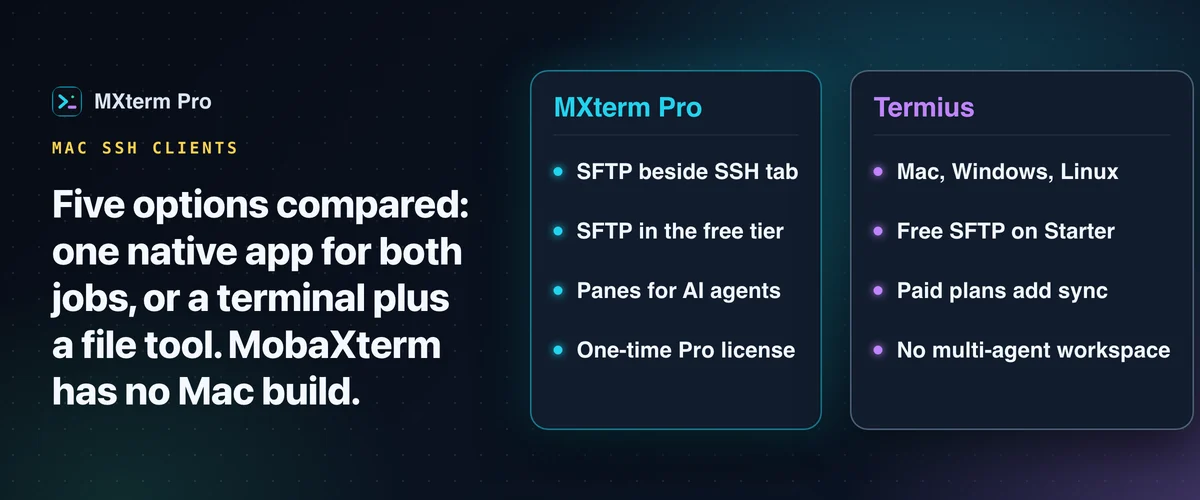
The best SSH client for Mac with SFTP depends on one choice: one native app for both jobs, or a terminal plus a separate file-transfer tool. This guide compares MXterm Pro, Termius, iTerm2 with Transmit or Cyberduck, MobaXterm and Royal TSX. One of them, MobaXterm, does not run on a Mac.
What "SSH client with SFTP" actually needs to mean
macOS already ships with a terminal and an ssh/scp client. Running commands on a remote Linux box, an EC2 instance or a Kubernetes node's shell needs no extra software. What's missing is a graphical way to browse, edit and move files over that same connection, without opening a second app and typing the host in again.
That is the bar for this list: do the terminal and the file browser share one session and one saved host entry? Or do you keep two apps' credentials in sync by hand? Five tools clear it, each in a different way. One widely recommended name doesn't clear it on a Mac at all, and the list below explains why.
Related guideSFTP GUI Remote Editor for Mac: How to Browse, Edit and Chmod Remote Files1. MXterm Pro: terminal splits and an SFTP panel in one native window
MXterm Pro is a Tauri 2 desktop app (not Electron), built around a split-tree of real terminal panes. Each pane is a real PTY session through Rust's portable-pty, not a text widget replaying output.
The SFTP browser docks beside an SSH tab, on the left by default or on the right if you move it. You connect to a host, run commands in the terminal panes and browse the server's files in one window, with the same saved host entry.
It is a single remote file browser, not a two-column local-and-remote view like WinSCP or Transmit. You drag files in from Finder or pick them with the native file dialog, instead of navigating a local tree next to the remote one.
Transfers run through your Mac's own scp, and the SSH pane runs the system ssh. Key types and ~/.ssh/config options your OpenSSH understands (Ed25519, RSA, ECDSA, ssh-agent, an IdentityFile line) still apply. You save each host in MXterm once (host, user, port, key file or agent) and the file panel reuses that pane's session.
Connecting, browsing, editing a remote .env or nginx.conf file in place with syntax highlighting, the chmod calculator and moving files in either direction are all free. The only caps are on counts, and the exact numbers are below.
The other half of the app is the Multi-Agent Control Room (formerly War Room). Split a workspace into panes running Claude Code, Codex, Gemini CLI or Copilot side by side.
With worktree isolation switched on in the new-tab composer (it is off by default and needs a git repo), each agent's pane can start in its own git worktree at <repo>/.worktrees/<slug> on a fresh swarm/<adjective>-<noun> branch. That reduces the chance that two agents on the same repo edit the same working copy.
Command Recipes (⌘J) is an offline keyword table. It turns a short list of common asks into one of 13 stock shell commands, with an explanation. It is not an AI model and not a chat that reasons about your specific server. It needs no API key or internet connection.
2. Termius: cross-platform, cloud-synced, and SFTP is actually free
Termius runs on macOS, Windows, Linux, iOS and Android with one interface across all of them. That is the main reason people pick it: start an SSH session on your Mac, finish it on your phone.
Its free Starter plan includes SSH, SFTP and port forwarding, with a local vault. Some coverage of Termius, including an earlier version of this article, describes SFTP as subscription-gated. That isn't accurate anymore.
The paid plans (about $10 a month billed annually for Pro) add sync across devices, a personal cloud vault, session logs and snippet automation. That helps if you manage servers from more than one machine and is unnecessary if you don't.
The tradeoff against MXterm Pro: Termius's SFTP is free (check Termius's current Starter limits), but Termius is a connection manager and file browser, not a multi-agent dev environment. It has no equivalent to running several AI coding agent CLIs in split, git-worktree-isolated panes. For the head-to-head, see MXterm Pro vs Termius.
3. iTerm2 paired with Transmit or Cyberduck. The two-app power-user setup
iTerm2 is free, open-source and still the reference point for terminal customization on macOS. It offers tmux integration, triggers, per-profile color schemes and split panes that predate most of the competition. It has no built-in SFTP file browser. Shell integration adds right-click scp downloads and option-drag uploads, but nothing for browsing remote folders.
Panic's Transmit is the paid pairing most iTerm2 users reach for: a two-pane local/remote FTP-and-SFTP browser, sold as a one-time app. Cyberduck is the free, open-source alternative, with a single-pane browser and a bookmark list instead of Transmit's dual view.
The cost here is the context switch, not the money. Your SSH session lives in iTerm2, and your saved hosts live in a separate bookmark list in Transmit or Cyberduck. Moving a file mid-session means alt-tabbing and re-navigating to the same directory in a second app.
4. MobaXterm: the client most Mac searchers actually mean, and it doesn't run on a Mac
MobaXterm is Windows-only. There has never been a native macOS build, and Mobatek lists Windows only. The closest anyone gets is running the Windows binary inside CrossOver or a Windows VM, which is unsupported and defeats the point of a native app.
If MobaXterm shows up in your own research for "best SSH client for Mac," this is why it isn't reviewed as an option here: it fails the first requirement.
Its feature set is still the shape most of this list tries to match on a Mac: an SSH terminal, a dual-pane SFTP browser and X11 forwarding in one window. MXterm Pro is one of the more direct attempts at that. It isn't a port of MobaXterm and doesn't claim to match it feature-for-feature.
5. Royal TSX: a connection manager for admins juggling RDP, VNC, and SSH together
Royal TSX is a native macOS app, with a separate Royal TS for Windows. It is built for people managing a large, organized list of remote connections across protocols: RDP and VNC sessions alongside SSH, grouped by client or environment. It also transfers files over FTP, SFTP and SCP.
It is licensed as a perpetual one-time purchase rather than a subscription. A free Lite edition is limited to 10 connections, which is enough to try it out.
The UI is built around connection organization at scale: saved credentials and documents for many hosts. That is the right tool for an admin with fifty servers across three protocols. It is more structure than a developer SSHing into two or three Linux boxes needs.
MXterm Pro's free tier vs. Pro, in the actual numbers
By default the free tier is permanently free, not a time-limited trial, and it has real limits: up to 5 saved SSH hosts, up to 2 members per Control Room room and 1 saved Machine (for controlling another Mac). Terminal panes are not limited.
SFTP is not one of the limits. Browsing, in-place remote editing, the chmod calculator and file transfer in both directions all work on Free.
Pro lifts the saved-host and Control Room per-room member caps. It is a one-time license, not a recurring subscription: $29 for 3 devices (Solo) up to $199 for 100 devices (Max). License checks run offline against an Ed25519 signature.
How the five actually compare
iTerm2, Cyberduck, Transmit and Royal TSX are native Mac apps. MXterm Pro is a native app for macOS and also ships a Windows x64 build, which is unsigned. SSH and SFTP on Windows in particular are unverified. Termius covers Mac, Windows, Linux and mobile from one account. MobaXterm is Windows-only.
On pricing, Termius's Starter plan covers SSH and SFTP for free, with a subscription for sync and the cloud vault. MXterm Pro's terminal and its whole SFTP side are free, with a one-time (not recurring) purchase only for higher saved-host, Control Room member and Machine counts. iTerm2 and Cyberduck are entirely free. Transmit and Royal TSX are one-time paid apps with no ongoing fee.
Beyond SFTP, Termius, iTerm2 + Transmit and Royal TSX are at their core a terminal (or terminal-adjacent) app plus a file browser. Of these, only MXterm Pro is built around several AI coding agents side by side. If you do not run agents, that is no reason to pick it.
If you only need a terminal and a file browser, the best SSH client for Mac with SFTP for you may cost nothing: Termius's free tier or iTerm2 + Cyberduck will do the job. If you also run AI coding agents against the same servers, try MXterm Pro's free tier before deciding whether the one-time Pro upgrade is worth it for your saved-host count.
Multi-pane SSH, Command Recipes (Cmd+J), and a multi-agent Control Room (formerly War Room): free to start.
Already have MXterm Pro? Read the setup guide →
New to MXterm Pro? See pricing →
Frequently Asked Questions
No. MobaXterm has never had a native macOS build. It is Windows-only, and running it through CrossOver or a Windows VM isn't officially supported. That's why it isn't reviewed as a pick above.
Yes. Termius's free Starter plan includes SSH, port forwarding and SFTP. The paid plans add cross-device sync, a personal cloud vault and snippet automation, but not SFTP itself.
Yes, all of it. Connecting, browsing, editing remote files in place with syntax highlighting, the chmod calculator, and uploading or downloading files all work on Free. What Free still caps by default is counts: 5 saved SSH hosts, 2 members per Control Room room, and 1 saved Machine (for controlling another Mac).
MXterm Pro runs your Mac's own ssh and scp, and iTerm2 runs on top of your Mac's OpenSSH too. So the key types it supports (Ed25519, RSA, ECDSA), ssh-agent and ~/.ssh/config options still apply. In MXterm Pro you save each host once and point it at the key file or agent. Termius and Royal TSX manage credentials in their own apps, so check their docs.
SSH gives you an encrypted remote shell to run commands. SFTP is a file-transfer protocol that runs over that same SSH connection. It is not the older FTP, which sends data unencrypted. Transmit and Cyberduck can speak both, so pick the SFTP option when you connect.
No. Command Recipes (⌘J) is a small offline tool. It matches keywords in what you type against a fixed set of ready-made Linux commands and shows one, with no AI model involved. The Control Room is where actual AI coding agent CLIs (Claude Code, Codex, Gemini CLI, Copilot) run in their own panes, optionally split across per-agent git worktrees.