What Is an Agentic Development Environment (ADE)? Definition, Examples and How to Choose
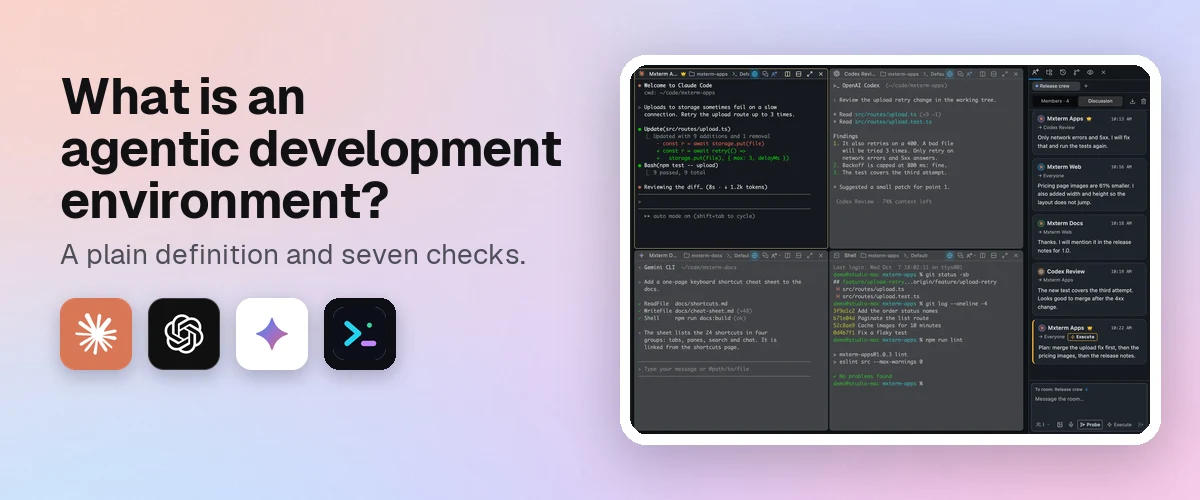
An agentic development environment (ADE), also written agent development environment, is a workspace built around AI coding agents instead of a code editor: it runs several agent sessions, keeps their changes apart, for example on separate git worktrees, and lets you review the diff of what they did. Some ADEs run CLI agents such as Claude Code, Codex CLI and Gemini CLI. This guide defines the term, separates it from an IDE, a CLI agent and a cloud agent, lists seven checks, and compares ten other products and MXterm Pro from their own pages.
The short version
An agentic development environment (ADE) is a workspace built around AI coding agents instead of around a code editor. You start several agent sessions, each on its own task, and the workspace shows you what each one is doing, keeps their changes apart, and lets you review the result before it lands.
The test is simple. In an IDE with an AI feature, you write code and the AI helps. In an ADE, the agents write code and you direct and check them. The editor is still there, but it is one panel among several.
The word is new and no standards body defines it. Different vendors use it for different things. This guide gives a working definition, seven checks you can run against any product, and a table of ten other products and MXterm Pro, read from their own pages on 11 November 2026.
We make MXterm Pro, so we are not neutral. We kept the rows where other products lead, and we say below what MXterm does not do.
Where the term came from
The earliest use we found is Warp's launch post for Warp 2.0, dated 24 June 2025: "Today, we're excited to launch Warp 2.0, the first Agentic Development Environment" (warp.dev/blog/reimagining-coding-agentic-development-environment, read 11 November 2026). Warp describes it as one app with four parts: Code, Agents, Terminal and Drive. The post does not claim to have coined the phrase, and it does not give a formal definition.
Since then others have used the same words. Emdash's repository calls it an "Open-Source Agentic Development Environment" (github.com/generalaction/emdash, read 11 November 2026), and OpenChamber's site uses the phrase for its own product. Orca writes "agent development environment" on its homepage (onorca.dev, read 11 November 2026). OpenChamber's guide, dated 9 November 2026, defines an ADE as "a workspace built around AI coding agents" (openchamber.dev/blog/agentic-development-environment, read 11 November 2026).
So the term started as one company's product label and became a category name within about a year. That is why two products that both use it can look very different, and why a definition written by a vendor tends to describe that vendor.
ADE vs IDE vs CLI agent vs cloud agent: what is the difference?
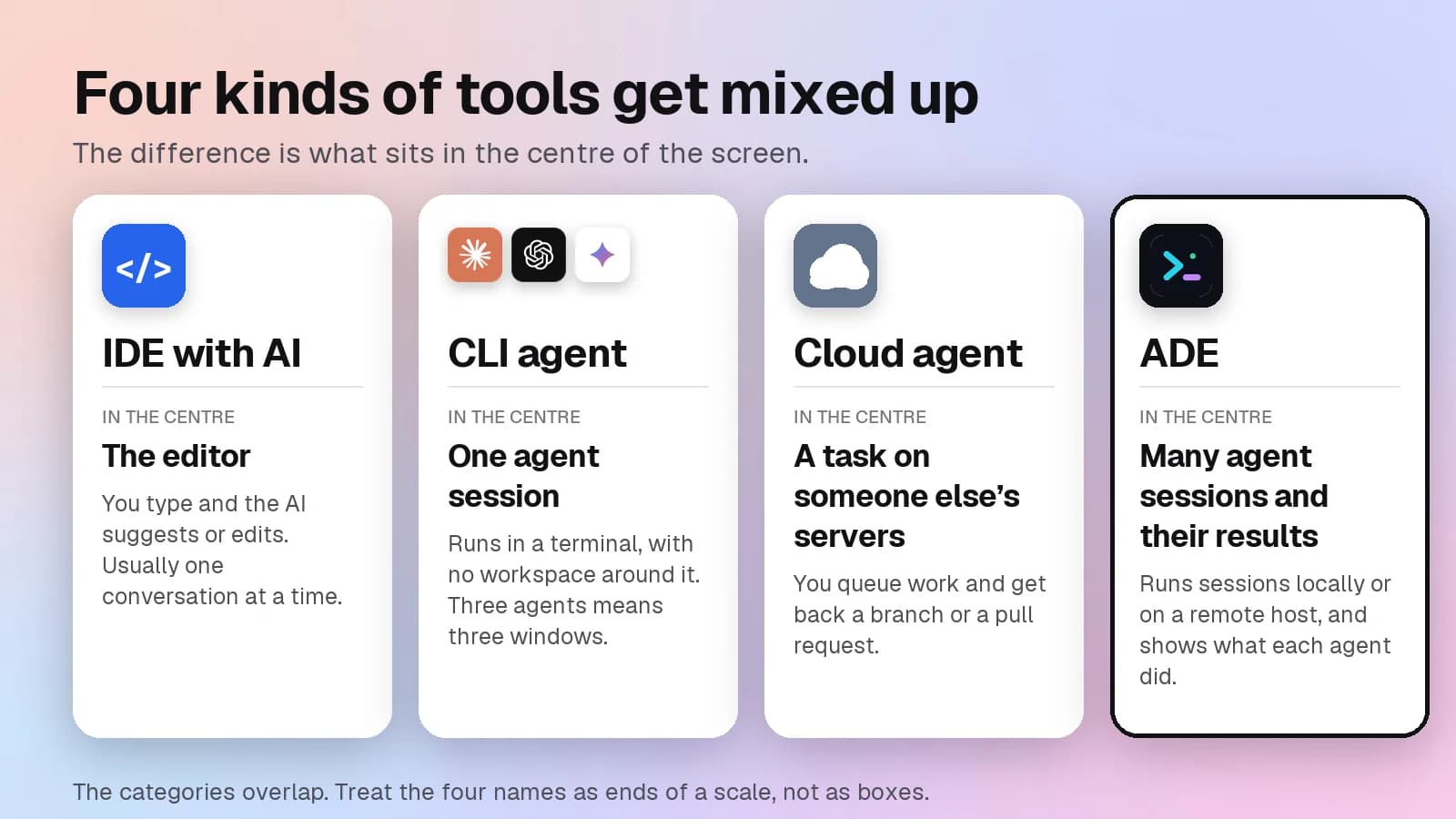
Four kinds of tools get mixed up. The difference is what sits in the centre of the screen.
An IDE with AI features is centred on the editor. You type, the AI suggests or edits, and one conversation usually runs at a time. Cursor's editor and the AI modes in other editors are examples.
A CLI agent is one agent session in a terminal: Claude Code, Codex CLI, Gemini CLI and similar. It is powerful and has no workspace around it. Run three and you are managing three terminal windows yourself.
A cloud agent runs a task on someone else's servers and sends back a branch or a pull request. You queue work and review results, but the work does not happen on your machine.
An ADE is centred on many agent sessions and their results. It can run those sessions locally, on a remote host, in the cloud, or a mix. Some ADEs bring their own agent; others host the CLI agents you already use.
The four kinds side by side:
| IDE with AI features | CLI agent | Cloud agent | ADE | |
|---|---|---|---|---|
| Centre of the screen | The editor | One agent session in a terminal | A task on someone else's servers | Many agent sessions and their results |
| What you do | You write code and the AI suggests or edits | You run and manage each session yourself | You queue work and review the results (a branch or pull request) | The agents write code; you direct and check them |
| Sessions at once | Usually one conversation | One per terminal window | Queued tasks | Several, side by side |
| Examples | Cursor's editor, the AI modes in other editors | Claude Code, Codex CLI, Gemini CLI | Not named in this guide (Warp and Orca include cloud agents: see Table 2) | The products in Table 1 that use the term, such as Warp, Orca and OpenChamber |
The categories overlap. Cursor now has an agents window beside its editor, and Warp includes a terminal, an editor and cloud agents. Treat the four names as ends of a scale rather than boxes.

What an ADE has to do: seven checks
Use these checks to compare any two products. They are the criteria we use in the table below, and we wrote them before filling it in. Cost is not one of the checks: pricing and licence terms are on each vendor's own page, and ours are on the pricing page.
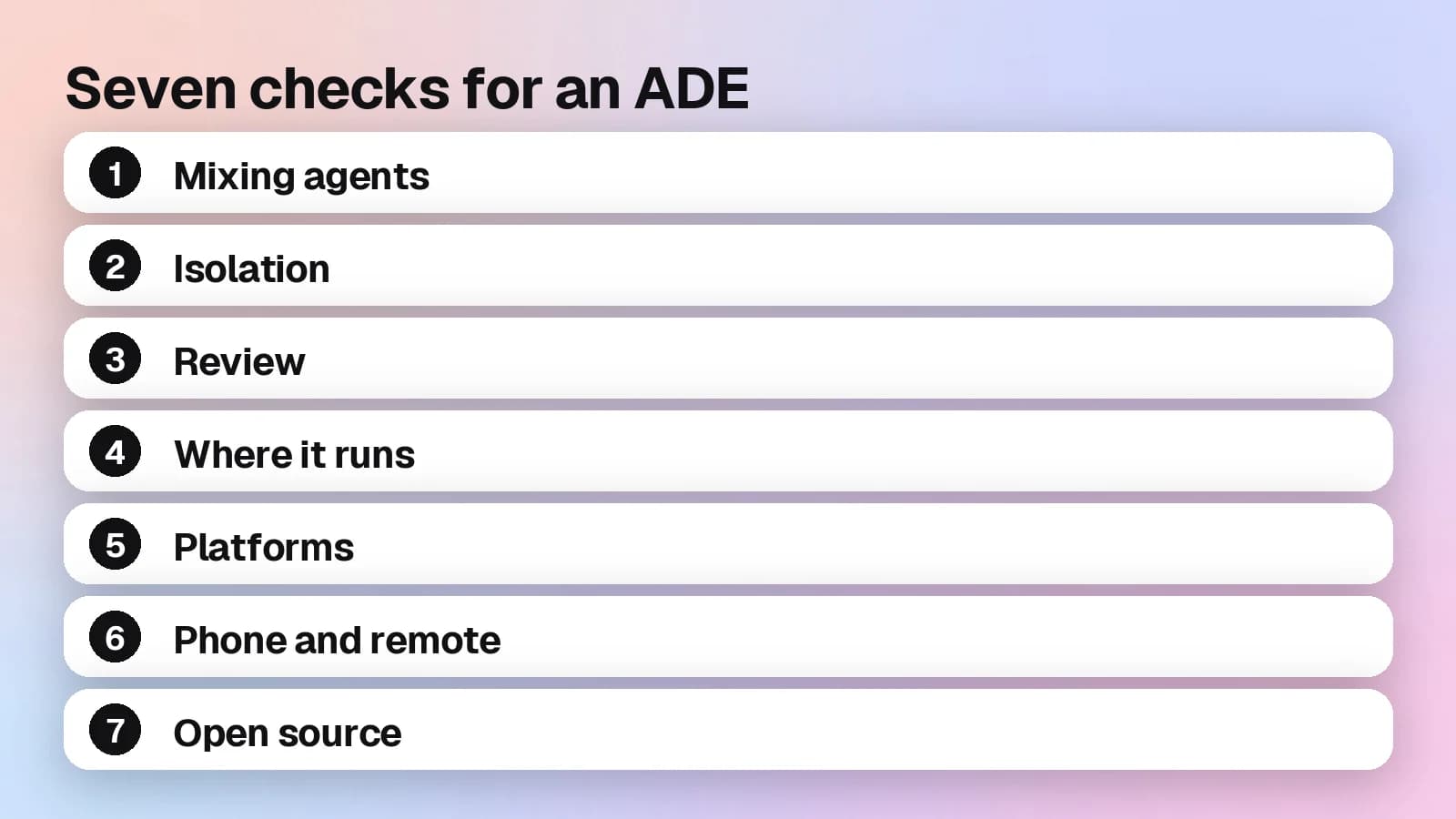
1. Mixing agents. Can different agents, say Claude Code and Codex, run side by side in one workspace, or does the product run only its own?
2. Isolation. Does each agent get its own git worktree or branch, so two agents do not edit the same files? A worktree separates files; it is not a security sandbox, and Conductor's docs say as much about its own workspaces.
3. Review. Can you see an agent's diff, comment on lines, and send the comments back? Can one agent review another's work? These are different features.
4. Where it runs. Local only, remote hosts over SSH, vendor cloud, or background workers that keep going when you close the laptop.
5. Platforms. macOS, Windows, Linux, and how finished each build is.
6. Phone and remote. Can you check on, or answer, an agent when you are away from the machine?
7. Open source. Can you read the code and the licence? This matters for trust, and it is a plain yes or no on each project's repository.
Who builds an ADE in 2026
The tables below come from each vendor's own site, documentation, changelog or repository, read on 11 November 2026. "Not stated" means the pages we read do not say; it does not mean the product lacks the feature. Products move fast, so check the vendor page before you decide.
Table 1: what each product calls itself, which agents it runs and where.
| Product | What it calls itself | Agents it runs | Platforms |
|---|---|---|---|
| Warp | "agentic development environment" | its own Warp Agent, plus Claude Code, Codex and OpenCode in the terminal | macOS, Windows, Linux |
| Orca | "agent development environment" | Claude Code, Codex, OpenCode, Grok, Cursor, GitHub Copilot and any CLI agent | macOS, Windows, Linux |
| Conductor | "parallel coding agents on your Mac" | Claude Code, Codex, Cursor, OpenCode | macOS (others not stated) |
| Emdash | "Open-Source Agentic Development Environment" (Classic README) | Claude Code, Codex, Cursor, OpenCode, Amp, Devin and more | Classic: macOS, Windows, Linux |
| Cursor Agents Window | "agent-first interface" inside Cursor | Cursor's own agent (Claude Code or Codex inside it: not stated) | macOS, Windows, Linux |
| Herdr | "app for running coding agents" | any program that runs in a terminal | macOS, Linux, Windows |
| AgentGrid | "Infinite Canvas for AI Agents" | Claude Code, Codex, OpenCode, Cursor, Grok and others, plus its own coordinator | macOS, Windows, Linux |
| OpenChamber | "agentic development environment" | built on OpenCode (other agent CLIs: not stated) | macOS, Windows, Linux, web |
| Claude Squad | "manage multiple AI terminal agents" | Claude Code, Codex, Gemini, Aider, OpenCode, Amp | not stated |
| cmux | "Ghostty-based macOS terminal" | any terminal agent | macOS |
| MXterm Pro | "native terminal workspace" | more than 25 agent CLIs in real terminal panes; no built-in agent | macOS, Windows x64, Linux (early build), Android, iPhone and iPad (TestFlight) |
Table 2: isolation, review and where agents run. This is where MXterm Pro trails: it has no cloud agents, and review stops at notes on diff lines. Several others have a stronger review story.
| Product | Worktree isolation | Diff review | Cloud or background agents |
|---|---|---|---|
| Warp | yes, per local agent | Code Review panel, inline comments sent to the running agent | yes, cloud agents |
| Orca | yes, per agent | inline diff comments sent back to the agent | yes, agents can run in the cloud |
| Conductor | yes, workspaces are worktrees | diff viewer with line comments sent to the agent | Conductor Cloud goes read-only on 13 November 2026 and shuts down on 20 November; Conductor is joining Meta and winding down (its changelog, 4 November) |
| Emdash | yes, per task | review diffs, create pull requests, inspect CI checks | yes, in Emdash 2.0 (not in Classic) |
| Cursor Agents Window | yes | diffs view, plus an agent review feature | yes, isolated cloud VMs |
| Herdr | shown in a guide example | not stated | yes, agents keep running on a remote machine |
| AgentGrid | homepage says yes | source control view with diffs | background workers; hosted cloud agents not stated |
| OpenChamber | yes | Changes Walkthrough, pull request review | not stated; scheduled tasks |
| Claude Squad | yes, plus tmux | diff tab in its terminal interface | local background only |
| cmux | not stated | not stated | cloud VMs in early access only |
| MXterm Pro | optional, one worktree per agent | diff view in the Git panel; notes on diff lines sent to your agent | no cloud; agents run in local panes or on your own SSH hosts |
Table 3: phone access and licence. Seven of the ten others publish at least part of their source under a named licence. MXterm Pro does not; its GitHub repository holds docs and guides only.
| Product | Phone or remote control | Open source |
|---|---|---|
| Warp | runs can be watched and steered from web and mobile | partly: most client code AGPL-3.0, UI crates MIT |
| Orca | companion phone app (iPhone and Android) | yes, MIT |
| Conductor | iPhone app and a remote control feature (changelog titles) | not stated |
| Emdash | hand work off from phone, Slack or Linear (Emdash 2.0) | Classic: yes, Apache-2.0 |
| Cursor Agents Window | Cursor for iOS; remote control of a local agent | not stated |
| Herdr | iPhone, iPad and Android companion app | yes, Apache-2.0 |
| AgentGrid | early iPhone and Android apps | not stated |
| OpenChamber | pair a phone by QR code; early mobile apps | yes, MIT |
| Claude Squad | not stated | yes, AGPL-3.0 |
| cmux | iPhone app via TestFlight | yes for the terminal, GPL-3.0-or-later; some server directories are under BUSL-1.1, a commercial licence for production use |
| MXterm Pro | phone, iPad or browser opens the panes you share from a Mac (iPhone and iPad via TestFlight) | no; docs and guides are public on GitHub |
Some cells in these tables describe more than one product line. Emdash has a desktop Classic version and a newer cloud-based 2.0. Herdr is both a terminal tool and an app. Warp's changelog and its GitHub releases page disagree about how recent its last release is. We read each page as it stood on the read date.
Related guideBest AI coding agents in 2026: what each one is and how to run severalWhat breaks when you move to an ADE
Moving from one agent in one terminal to a workspace of several changes where the work goes wrong.
Review becomes the bottleneck. Three agents can produce changes faster than you can read them. Products that show diffs next to the session, and let you send comments back, save the most time here.
Merge conflicts return. Worktrees keep agents out of each other's files while they work, but the branches still have to come back together. Give each agent a separate area of the code when you can, and merge small changes often.
Attention gets scattered. An agent that is waiting for your answer is stuck until you notice. A visible signal on the pane that needs you matters more than another feature.
Your costs and limits stack. Every running agent uses its own provider quota. Track that in the provider's own tools or in a meter, not in the ADE's marketing.
Trust is not automatic. A worktree separates files; it does not stop an agent from running a command. Read what an agent is allowed to do in its own settings.
How to try one in an afternoon
Pick one real task that splits into two or three parts, such as a refactor, a test suite and a documentation fix. Do not start with a task you cannot afford to get wrong.
Install the agent CLIs you already use. Then open the workspace on your repository, give each agent one part, and give each its own worktree if the product offers it.
Time two things: how long you spend reading diffs, and how often an agent sat waiting before you noticed. Those two numbers show whether the workspace is helping.
Run the same split with a second product. Because most ADEs run the CLI agents you already have, switching costs you little, and a side-by-side afternoon tells you more than a feature list.
Where MXterm Pro fits
MXterm Pro is a terminal-first agentic development environment for people who run coding agents. It is a native desktop app, and each agent's own CLI runs in a real terminal pane: the site lists more than 25 agent CLIs, such as Claude Code and Codex. MXterm Pro does not bundle them; if one is missing it shows the install command and can run it in a terminal you open. It has no built-in agent of its own. Any other CLI also runs in a plain pane.
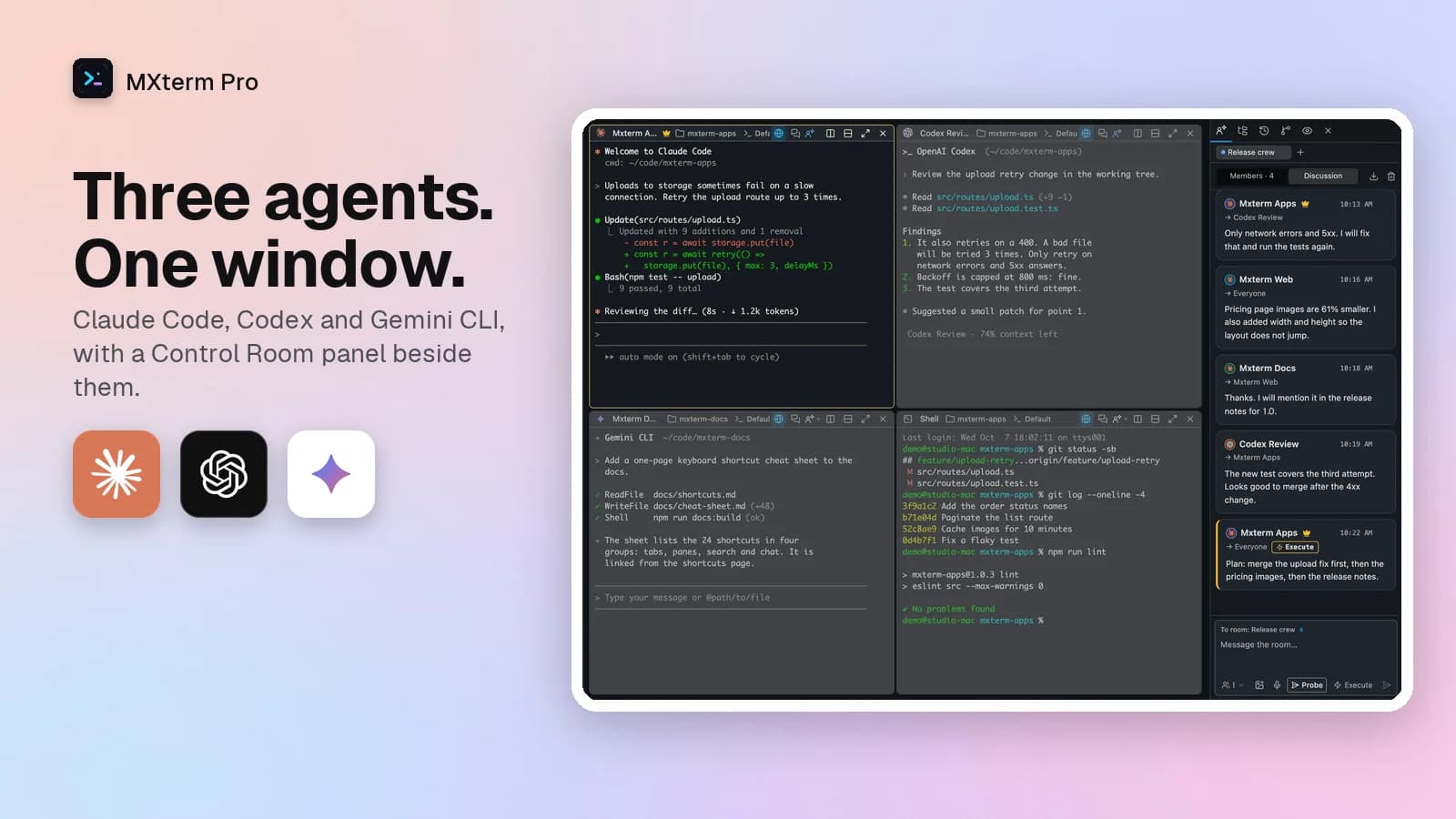
In terms of the seven checks: you can mix agents in one workspace. Each agent can optionally get its own git worktree. The Git panel shows a per-file diff, and you can add notes on diff lines and send them to a chosen agent pane. The Control Room puts several agent panes in one room so you can send prompts to the members from one box. When an agent in a pane needs you, the Mac app marks that pane with a red ring and sounds a chime.
SSH and SFTP are in the same app: saved hosts, a remote file browser and an editor, so an agent can work on a server and you can browse the files beside it. Windows support is new. The Linux build is an early build. We have not run this build on a real Linux desktop. Android is on Google Play, and iPhone and iPad are on TestFlight. A phone, iPad or browser can open the panes you share from your Mac; it reaches panes on that Mac only.
What MXterm Pro does not do: it has no cloud agents (agents run in local panes or on your own SSH hosts), and no agent reviews another agent's work. Review stops at diffs and notes you send to an agent. It is not open source; the GitHub repository holds docs and guides. If those matter most, the tables show who leads.
For setup, see Claude Code in MXterm, running Claude Code and Codex in split panes and isolating agents with git worktrees. Side-by-side pages: MXterm and Orca, Conductor, Claude Squad, cmux and Warp. Get the app on the download page.
Multi-pane SSH, Command Recipes (Cmd+J), and a multi-agent Control Room.
Frequently Asked Questions
An agentic development environment (ADE) is a workspace built around AI coding agents rather than a code editor. It runs several agent sessions at once, keeps their changes apart, and lets you review results. The earliest use we found is Warp's Warp 2.0 launch post of 24 June 2025.
No. An IDE is centred on the editor and you write the code, with AI as help. An ADE is centred on agent sessions and their results, and the editor is one panel. Some products now offer both views, so the line is blurry.
No. Claude Code runs fine in any terminal. An ADE helps when you run several agents at once and need to keep them apart, watch them and review their changes in one place.
We use the term for MXterm Pro in a terminal-first sense: it runs the agent CLIs you install in real panes, can give each agent its own git worktree, and has a Git panel with diffs. It has no built-in agent, no cloud agents and no agent-to-agent review.
From their own pages, as of 11 November 2026: Orca and OpenChamber (MIT), Herdr (Apache-2.0), Emdash Classic (Apache-2.0), Claude Squad (AGPL-3.0), cmux's terminal (GPL-3.0-or-later; some of its server directories are under a commercial source-available licence) and most of Warp's client code. MXterm Pro is not open source.
A git worktree gives each agent its own copy of the files, so two agents do not edit the same file. It does not stop an agent from running commands, and the branches still need merging. Conductor's docs say "Workspace isolation is development isolation, not a security boundary" (conductor.build/docs/concepts/workspaces-and-branches, read 11 November 2026), and the same holds for any worktree.
Sources
- Warp: Introducing Warp 2.0: the Agentic Development Environment | Warp read 11 Nov 2026
- OpenChamber: What Is an Agentic Development Environment (ADE)? read 11 Nov 2026
- Orca: Orca — The agent development environment read 11 Nov 2026
- Emdash: GitHub - generalaction/emdash: Emdash is the Open-Source Agentic Development Environment (YC W26). Run multiple coding agents in parallel. Use any provider. read 11 Nov 2026
- Conductor: 0.93.0: Conductor is joining Meta | Conductor Changelog read 11 Nov 2026
- Cursor: Agents Window | Cursor Docs read 11 Nov 2026
- cmux: cmux/LICENSE at main · manaflow-ai/cmux · GitHub read 11 Nov 2026
- Claude Squad: GitHub - smtg-ai/claude-squad: Manage multiple AI terminal agents like Claude Code, Codex, OpenCode, and Amp. read 11 Nov 2026